
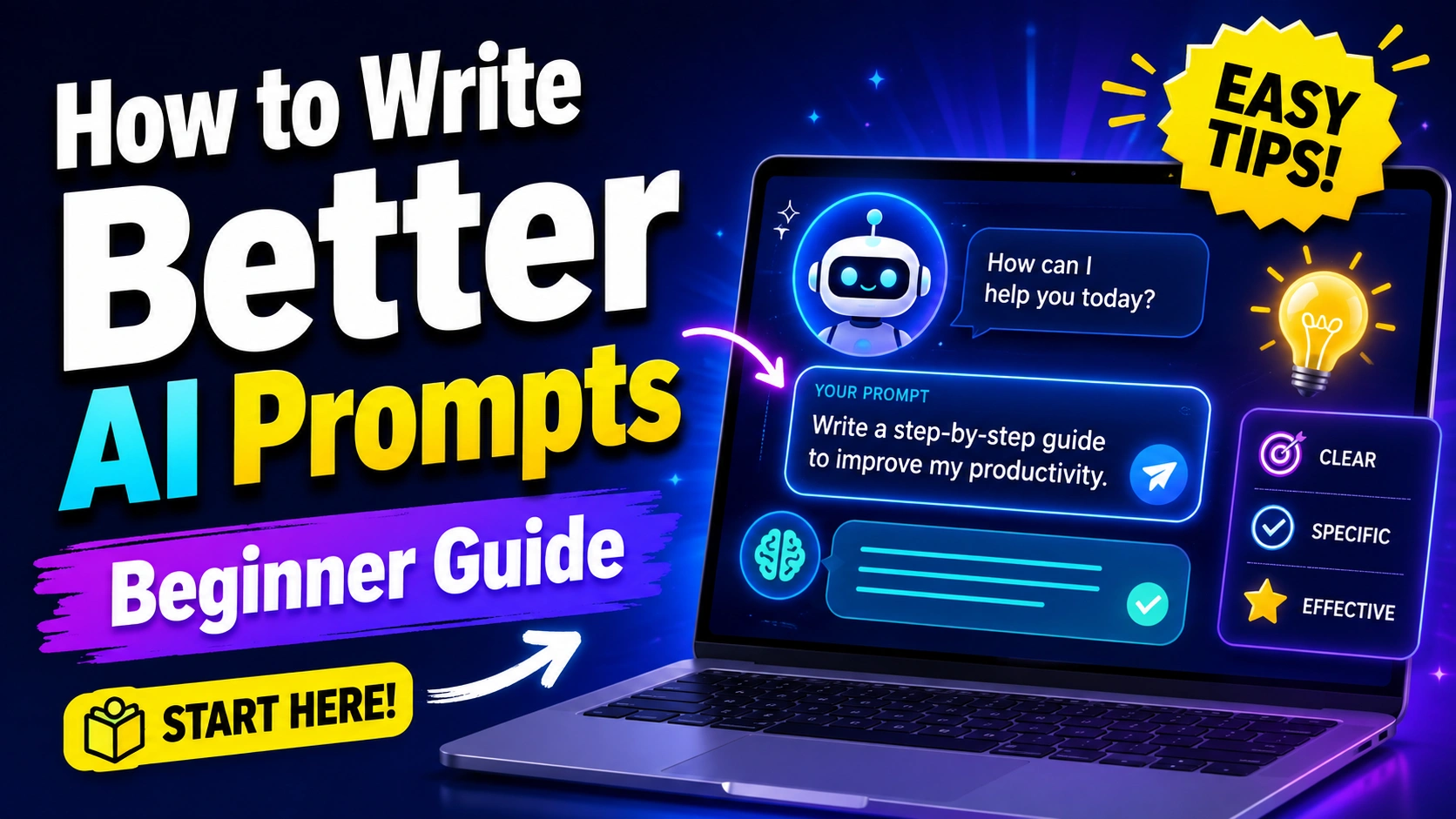
AI tools are becoming part of everyday life. Students use them for learning, writers use them for ideas, and people use them to understand difficult topics. But one thing I noticed when I first started using AI is that the quality of the answer depends a lot on the question you ask.
You can type something simple like:
“Tell me about space.”
AI will give you an answer, but it may be too general.
Now compare it with:
“Explain how astronauts live on the International Space Station in simple English for a 15-year-old student. Keep it under 300 words and include five interesting facts.”
The second prompt gives AI much more information about what you actually want.
That is basically what prompt writing is about.
In this beginner guide, I will explain how to write AI prompts in a simple way. You do not need to know coding or complicated technical words. You just need to learn how to explain your request clearly.
“A better prompt does not make AI smarter. It simply helps AI understand what you want.”
What Is an AI Prompt?
An AI prompt is the message or instruction you give to an AI tool.
It can be a question:
“What causes rain?”
It can be a task:
“Summarize this paragraph in simple English.”
It can also be a detailed instruction:
“Create a seven-day study timetable for a Class 9 student who studies two hours every evening.”
All of these are prompts.
A prompt tells the AI what you want it to do.
The interesting part is that small changes in your prompt can completely change the answer.
That is why learning how to write AI prompts can save time and help you get more useful results.
Why Good AI Prompts Matter
Imagine asking someone:
“Make something for me.”
They would probably ask:
“What should I make?”
The same thing happens with AI.
If your instructions are not clear, AI has to guess.
A weak prompt may give:
General information
Too much information
Too little information
The wrong writing style
An answer for the wrong age group
Information you did not really need
A better prompt removes some of this guessing.
For example:
Weak prompt:
“Help me study science.”
Better prompt:
“I have a science test on photosynthesis tomorrow. Explain photosynthesis in simple English, give me the main points to remember, and then ask me five practice questions.”
The second prompt tells AI exactly what kind of help you need.
Read More: What Is Artificial Intelligence? A Simple Beginner Guide
How to Write AI Prompts Using a Simple Formula
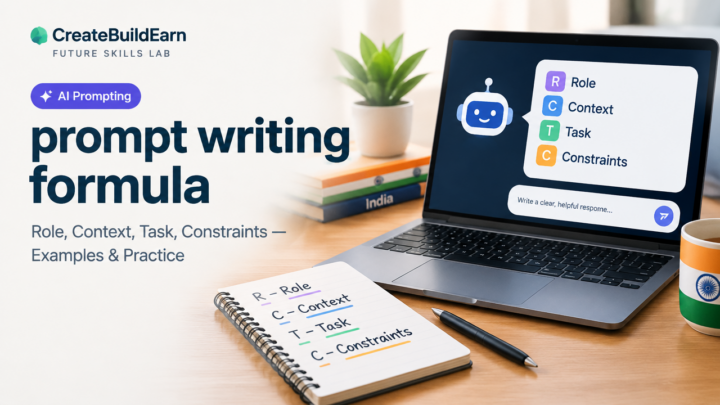
When I am not sure what to write, I like using this simple formula:
Task + Topic + Context + Format + Limits
You do not always need every part, but this structure can improve many prompts.
Let us understand each one.
1. Task
Tell AI what you want it to do.
Useful task words include:
Explain
Summarize
Compare
Create
Rewrite
Brainstorm
List
Teach
Review
Check
Translate
For example:
“Explain gravity.”
The task is “explain.”
2. Topic
Now tell AI what the request is about.
For example:
“Explain gravity.”
The topic is gravity.
Another example:
“Compare solar energy and wind energy.”
The topics are solar energy and wind energy.
3. Context
Context tells AI why you need the answer or who the answer is for.
For example:
“Explain gravity to a 12-year-old student.”
Now AI knows that the explanation should probably be simple.
Another example:
“Help me write a short speech about saving water for a school assembly.”
The words “school assembly” give useful context.
4. Format
Tell AI how you want the answer.
You can ask for:
A table
Bullet points
Steps
A paragraph
A checklist
Questions and answers
A study guide
A short summary
Example:
“Explain the water cycle in five bullet points.”
This is much clearer than simply asking:
“Explain the water cycle.”
5. Limits
Limits help control the answer.
For example:
“Explain the water cycle in five bullet points using simple English. Keep each point under 30 words.”
Now the AI knows the length and style you want.
A Simple Prompt Template for Beginners
Here is one template I think beginners can remember easily:
I want you to [task] about [topic]. This is for [context]. Write it in [format/style]. Make sure you [important requirement].
Example:
“I want you to explain renewable energy. This is for a school project by a 15-year-old student. Write it in simple English with short headings. Make sure you include solar, wind, and hydro energy.”
That one sentence gives AI a lot of useful direction.
Be Clear About What You Want
One of the easiest ways to improve prompts is to stop using very broad instructions.
For example:
“Write about computers.”
This could mean hundreds of different things.
A clearer version would be:
“Write a 500-word beginner article about how computers work. Explain the CPU, RAM, storage, and operating system using simple examples.”
Now the AI has a clear direction.
When learning how to write AI prompts, this is probably the first habit you should build.
Before sending a prompt, ask yourself:
“What exactly do I want to receive?”
If you cannot answer that question, your prompt may still be too broad.
Give AI the Right Role When It Helps
Sometimes you can tell AI what kind of helper you want it to act like.
For example:
“Act like a patient maths tutor and explain fractions to a beginner.”
Or:
“Act like an English teacher and check this paragraph for grammar mistakes.”
This can help AI understand the style of response you need.
But there is no need to make the role too dramatic.
You do not need to write:
“You are the greatest teacher in the entire world with 50 years of experience.”
Usually a simple role is enough.
For example:
“You are a beginner-friendly science tutor.”
That is clear and useful.
Tell AI Who the Answer Is For
This is one of my favourite prompt tricks because it is so simple.
Compare these prompts:
“Explain blockchain.”
“Explain blockchain to a software engineer.”
“Explain blockchain to a 10-year-old.”
“Explain blockchain to someone who has never studied computers.”
The topic is the same, but the answers should be very different.
You can mention:
Age
Knowledge level
Class or grade
Job
Purpose
Reading level
For example:
“Explain artificial intelligence to a Class 8 student using everyday examples.”
That can give a much easier answer than simply asking:
“What is artificial intelligence?”
Ask for Examples
Sometimes an explanation sounds easy until you actually try to use it.
That is why examples are powerful.
You can add:
“Give me three examples.”
“Show me one good and one bad example.”
“Explain it using a real-life example.”
For example:
“Explain the difference between speed and velocity using simple English and two real-life examples.”
Examples make difficult ideas easier to understand.
Ask AI to Explain Step by Step
When something feels confusing, ask AI to break it down.
Instead of:
“How do I make a presentation?”
Try:
“Explain step by step how to create a five-slide school presentation about climate change.”
Now you have a process instead of a random explanation.
This works well for:
Learning new topics
Planning projects
Writing assignments
Solving basic problems
Research preparation
Organizing ideas
But remember that AI can still make mistakes, so you should understand each step instead of blindly following everything.
Tell AI What You Do Not Want
Prompts can also include things you want AI to avoid.
For example:
“Explain this topic without using difficult technical words.”
“Give me ideas without writing the complete assignment for me.”
“Do not use long paragraphs.”
“Do not repeat the same point.”
This can be helpful when AI keeps giving answers in a style you do not like.
A useful prompt could be:
“Explain machine learning in simple English for a beginner. Use short paragraphs and examples. Do not use advanced maths.”
That is much more focused.
Use Follow-Up Prompts
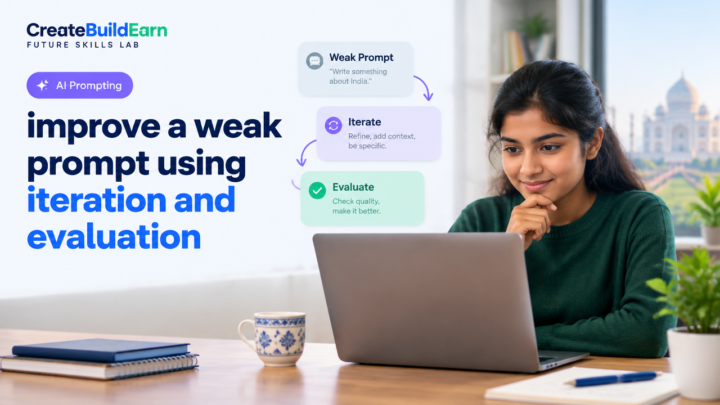
You do not have to create the perfect prompt on your first try.
This is something beginners sometimes forget.
AI conversations can be improved step by step.
Maybe your first prompt is:
“Explain the solar system.”
Then you can say:
“Make it simpler.”
Then:
“Turn it into a table.”
Then:
“Add one interesting fact about every planet.”
Then:
“Create five quiz questions from this.”
You are improving the answer through follow-up prompts.
“Prompting is often a conversation, not a one-time command.”
This makes AI much easier to use because you do not have to fit everything into one huge prompt.
Give AI Important Information
AI cannot automatically know what is inside your mind.
If something is important, write it in your prompt.
For example, instead of:
“Create a study plan.”
Write:
“Create a seven-day study plan. I need to study maths, science, English, and social studies. I have two hours each evening. My science exam is first, so give science extra time.”
That extra information changes the plan completely.
The more relevant context you provide, the more useful the answer can become.
But do not share private information that is not needed.
Avoid putting things like passwords, private account details, personal identification numbers, or other sensitive information into AI prompts.
Ask for a Specific Writing Style
AI can change how it writes.
For example, you can request:
Simple English
Friendly tone
Professional tone
Short sentences
Beginner-friendly explanation
Formal writing
Casual writing
You can say:
“Explain this in simple English with short sentences.”
Or:
“Rewrite this paragraph so it sounds clear and professional.”
This can be very useful when a normal AI answer sounds too difficult.
Use AI to Improve Your Own Prompt
Here is a cool method.
If your prompt is not giving good results, you can ask AI to improve the prompt itself.
For example:
“I want to learn about cybersecurity. Improve my prompt so I can get a beginner-friendly learning plan.”
AI may create something more detailed.
You can also ask:
“What important information should I add to this prompt?”
This can help you understand why your original prompt was weak.
Bad Prompt vs Better Prompt Examples
| Goal | Weak Prompt | Better Prompt |
|---|---|---|
| Learn science | Tell me about electricity | Explain electricity to a 15-year-old beginner using simple examples. Include voltage, current, and resistance. |
| Study | Help me study | Create a 45-minute study session for basic algebra with explanation, practice questions, and a five-minute review. |
| Writing | Write an article | Create an outline for a beginner article about internet safety with six useful sections. |
| Summarizing | Summarize this | Summarize this text in five bullet points using simple English. Keep only the important information. |
| Ideas | Give me ideas | Give me 10 simple science project ideas for students that can be explained in a classroom presentation. |
| Learning AI | Teach me AI | Explain artificial intelligence from beginner level. Start with basic meaning, real-life examples, and common uses. |
The important thing is not making the prompt extremely long.
The important thing is giving AI the information it needs.
An Easy Prompt Checklist
Before sending your next prompt, check these questions:
Did I clearly explain the task?
Did I mention the topic?
Did I provide important context?
Did I tell AI who the answer is for?
Did I request the format I want?
Did I mention any important limits?
You do not need all six every time.
Sometimes a short prompt is enough.
For example:
“Give me five simple breakfast ideas.”
That prompt is already clear.
The goal is not to make every prompt long.
The goal is to make every prompt clear enough for the task.
Do Not Ask AI to Do All the Thinking for You
This is especially important for students.
AI is useful when it helps you understand, practise, organize, and improve your work.
But if you ask AI to do everything, you may finish the task without actually learning much.
For example, instead of:
“Do my homework.”
Try:
“Explain this question to me without giving the final answer. Help me understand how I should solve it.”
Or:
“Check my answer and tell me what I should improve.”
That way, AI becomes more like a study helper.
You still do the important thinking.
Check Important AI Answers
Even a well-written prompt cannot guarantee that every AI answer is correct.
AI can sometimes misunderstand a question, mix up information, or give outdated or incorrect facts.
So if the information matters, verify it.
You should especially check:
School facts
Dates
Statistics
Health information
Legal information
Financial information
Current events
Quotes
Sources
You can use trusted textbooks, official websites, teachers, or other reliable sources.
Good prompting improves answers, but checking information is still important.
Useful Information and Learning Links
| Resource | Why It Can Be Useful | Link |
|---|---|---|
| OpenAI | Learn about AI tools and how AI systems are used | https://openai.com |
| Khan Academy | Helpful for learning school subjects and practising concepts | https://www.khanacademy.org |
| Google Search | Useful for checking facts using multiple reliable sources | https://www.google.com |
| Wikipedia | Helpful as a starting point for understanding a topic, but important facts should be checked with stronger sources | https://www.wikipedia.org |
| MIT OpenCourseWare | Free educational material for learning many subjects | https://ocw.mit.edu |
A Beginner Prompt Framework You Can Save
Here is a simple prompt structure you can reuse:
Goal: What do I want AI to do?
Topic: What is the task about?
Audience: Who is the answer for?
Context: What does AI need to know?
Format: How should the answer be shown?
Limits: What should AI include or avoid?
Here is a complete example:
“Explain how photosynthesis works to a 15-year-old student who is learning it for the first time. Use simple English, short paragraphs, and one easy real-life comparison. Include the main equation but explain every part of it. Finish with five quick revision questions.”
That is a strong beginner prompt because every instruction has a purpose.
Common AI Prompt Mistakes Beginners Make
Writing Prompts That Are Too Short
“Tell me history.”
History of what?
A country?
A person?
A war?
A technology?
Specific prompts usually work better.
Adding Too Many Unnecessary Instructions
The opposite problem also happens.
Some people create huge prompts filled with instructions that do not actually help.
Clear is better than complicated.
Expecting AI to Guess Missing Details
If you want a 200-word answer, say it.
If you want simple English, say it.
If you want a table, say it.
Trusting Every Answer Automatically
AI is useful, but it should not replace checking important information.
Giving Up After One Answer
Use follow-up prompts.
Ask AI to simplify, improve, shorten, explain, compare, or reorganize the response.
How to Write AI Prompts for Studying
Students can use prompts like:
“Explain the Pythagorean theorem in simple English and give me three practice questions.”
“Quiz me on the solar system one question at a time.”
“Check my paragraph and point out grammar mistakes without rewriting everything.”
“Explain this maths problem but do not give me the final answer immediately.”
“Create flashcards from these notes.”
These prompts use AI to support learning instead of replacing it.
How to Write AI Prompts for Ideas
Sometimes you are not looking for one correct answer. You just need ideas.
In that case, tell AI how many ideas you need and what kind.
For example:
“Give me 15 beginner blog ideas about learning technology. Avoid repeated topics and add one sentence explaining each idea.”
Another example:
“Give me 10 science fair ideas suitable for students. Keep them simple and safe.”
That is much better than:
“Give me ideas.”
How to Write AI Prompts for Writing Help
AI can also help improve writing.
For example:
“Check this paragraph for grammar and spelling. Keep my original meaning.”
“Make this paragraph easier to understand without making it much longer.”
“Give me five headline ideas for an article about online safety.”
“Create an outline for an article. Do not write the complete article.”
These prompts keep you involved in the actual writing.
Frequently Asked Questions
1. What is the easiest way to learn how to write AI prompts?
Start by clearly telling AI what you want, what the topic is, who the answer is for, and what format you want. You can make your prompts more detailed as you get comfortable.
2. Do longer AI prompts always give better answers?
No. A longer prompt is not automatically better. A short but clear prompt can work perfectly. Add details only when they help AI understand your request.
3. Can I change my prompt after AI gives an answer?
Yes. You can use follow-up prompts such as “make it shorter,” “explain point three,” “give me an example,” or “turn this into a table.”
4. Can AI prompts guarantee correct information?
No. Better prompts can improve the quality and relevance of an answer, but AI can still make mistakes. Important information should always be checked with reliable sources.
5. What should I avoid sharing in AI prompts?
Avoid sharing passwords, private account details, identification numbers, financial details, or other personal information that is not needed for your request.
Conclusion
Learning how to write AI prompts is actually much easier than it sounds.
You do not need complicated words or technical skills.
Just remember one thing:
Tell AI clearly what you want.
Start with the task, explain the topic, give useful context, choose the format, and add limits when necessary.
If the first answer is not right, do not immediately give up. Ask a follow-up question and improve it.
Good prompting is something you get better at through practice.
At first you may type:
“Teach me coding.”
Later you may write:
“Teach me the basic idea of Python variables as a beginner. Use simple examples and then give me three small exercises without showing the answers.”
That small change can make AI much more useful.
AI should not replace your brain. It should help you learn faster, explore ideas, understand difficult things, and improve your own work.
And once you understand how to write better prompts, using AI becomes much easier.
Want a professional website designed for your business or blog?
Visit eDigitalized for website design and development services.
Need help or support?
Visit our Contact Us page and get in touch with us.
Want to become a blogger and start your own blog?
Visit WP Bazaar for blogging resources, tools, and helpful guides.

How this guide was prepared
This guide is prepared for everyday readers using practical research, usability checks and editorial review. Product or tool-specific claims should be verified against current official documentation when needed.
How did you like this article?
Your feedback helps us make our guides more useful.



Join the Discussion
Join the conversation and share a useful tip, question or experience.