
Quick Start
What you will learn/build: A repeatable method to turn a weak AI prompt into a clear, useful prompt by iterating, testing and evaluating outputs.
Skill level: Beginner — no coding required.
Time needed: 30–90 minutes (one complete iteration cycle plus practice).
What you need: Any AI text tool (chat or completion), a note app or spreadsheet, and one topic you want a better result for (example: short article, lesson plan, email).
Introduction — Why iteration and evaluation matter
Many beginners write a short, vague prompt and expect perfect output. A weak prompt produces vague, off-topic or low-value responses. Iteration (making small, focused changes) and evaluation (checking outputs against clear criteria) are the fastest, safest way to improve results. This guide gives a step-by-step workflow you can repeat for blog drafts, lesson plans, product descriptions or code comments.
Prerequisites
- A basic account with an AI text tool (use responsibly — see privacy notes below).
- A simple evaluation checklist (we provide one).
- Patience to test 3–5 prompt versions and record results.
Core concept: iterate + evaluate
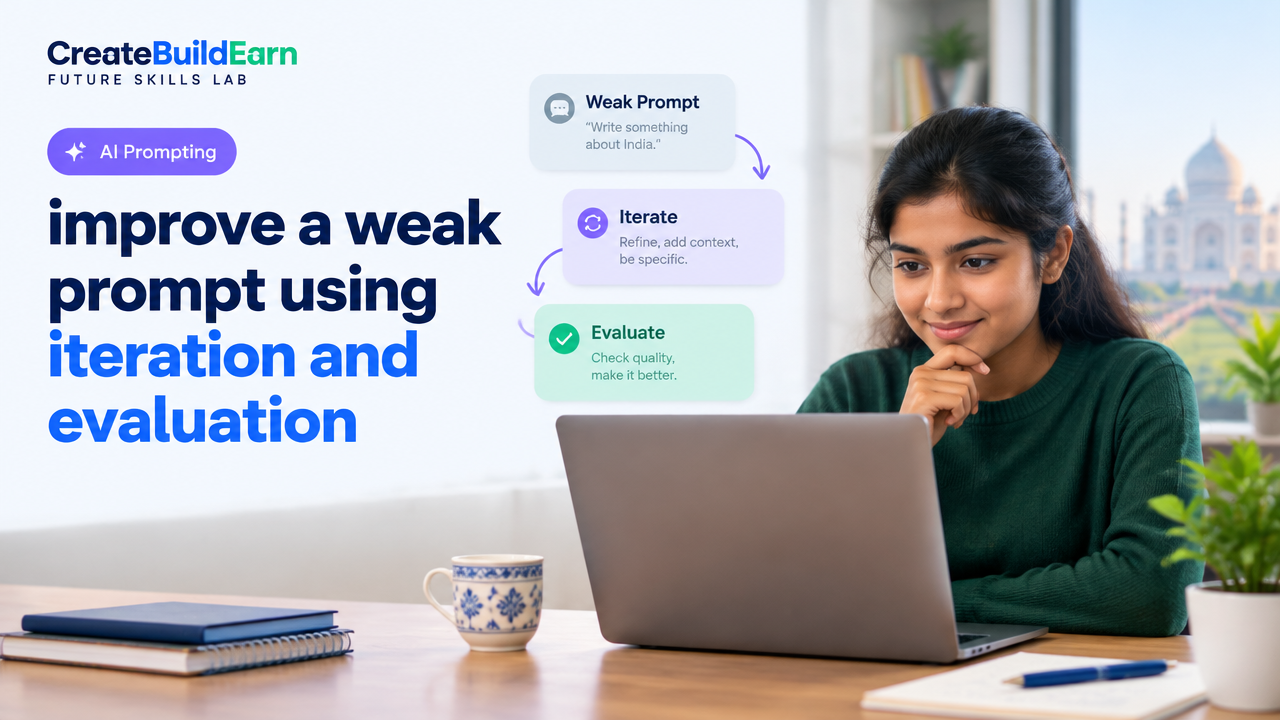
Think like a scientist. Start with a baseline prompt, run it, score the output, then change just one or two parts of the prompt. Compare scores. If the output improves, keep the change; if not, roll back or try a different change. Repeat until the output meets your needs.
Step-by-step path (Practical Workflow)
- Define the goal: What do you want the AI to produce? (format, length, tone, audience)
- Write your baseline prompt: Use a short prompt you would normally try.
- Decide evaluation criteria: Use a 1–5 rubric for relevance, clarity, accuracy, structure, and usefulness.
- Run the baseline and save the output.
- Score the output: Fill in the rubric. Note biggest failures.
- Make one focused change: e.g., add role, set constraints, request examples, or add sources.
- Re-run, re-score, and compare.
- Repeat: Keep changes small so you can see which tweak helped.
- Finalize: Combine successful changes into a final prompt and run a final quality check.
Worked example: from weak to usable prompt
Topic: A short informative paragraph for high-school students about climate change.
Baseline prompt (weak): “Write about climate change.”
Output problems: too long/too technical, no learning focus, no structure.
Evaluation rubric (1–5 scores):
| Criterion | Baseline score |
|---|---|
| Relevance to audience (high-school) | 2 |
| Clarity and simplicity | 2 |
| Structure (intro, examples) | 1 |
| Actionable/learning value | 1 |
First iteration (add role and audience): “You are a friendly science teacher. Write a short paragraph (4–6 sentences) for high-school students explaining what climate change is and one simple action students can take.”
Result: Better tone and length. Scores improved: Relevance 4, Clarity 4, Structure 3, Actionable 3.
Second iteration (add examples and a simple fact with source request): “As a friendly science teacher, write 4–6 sentences for high-school students explaining climate change. Use one clear example about rising temperatures and one simple action students can do. Keep the language simple. If you mention a fact, suggest where to check it (e.g., a government or university site).”
Result: Structure and actionability improve. Final combined prompt works well. Final scores: Relevance 5, Clarity 5, Structure 5, Actionable 5.
Try It Now / Mini Project
Choose a weak prompt you normally use. Follow this mini-project plan:
- Write the baseline prompt and run it once. Save the output.
- Use the rubric below to score the output (scale 1–5).
- Make one focused change and re-run. Repeat two more times.
- Create a final prompt combining the successful changes.
- Save all versions in a single document and write a 3-sentence reflection: what changed and why it worked or not.
Evaluation Rubric (Quick Checklist)
| Check | What to look for |
|---|---|
| Audience | Is the language and detail level right for the audience? |
| Format | Does the output match the requested format (paragraph, list, code)? |
| Clarity | Is it easy to read and understand? |
| Accuracy | Are claims phrased carefully and verifiable? |
| Actionability | Does it give clear next steps or examples? |
Checkpoint / Self-Review
After one or two iterations, ask yourself these questions:
- Did the output get closer to my goal? If not, which criterion didn’t improve?
- Which specific change had the most effect?
- Are there risks (privacy, sensitive data, incorrect facts) in the output?
Common mistakes and how to avoid them
- Changing too much at once: Makes it hard to know what worked. Change one thing per iteration.
- Vague goals: Always state audience, format and desired length.
- Ignoring evaluation: If you don’t score outputs, you rely on guesswork.
- Over-specifying examples: Be specific but not rigid; allow the model room to generate useful variations.
- Sharing private data: Never include personal or sensitive information in prompts. See privacy checklist link below.
Review checklist before finalizing a prompt
- Audience and role are set.
- Format and length are specified.
- Evaluation criteria are recorded.
- Sources or verification steps are requested when facts are used.
- Prompt does not contain personal/sensitive data.
Next practice (what to try next)
Try the same workflow for a different task: a social media caption, an explanation for younger kids, or a short lesson plan. Keep the same rubric and compare how many iterations each task needs.
Useful internal links
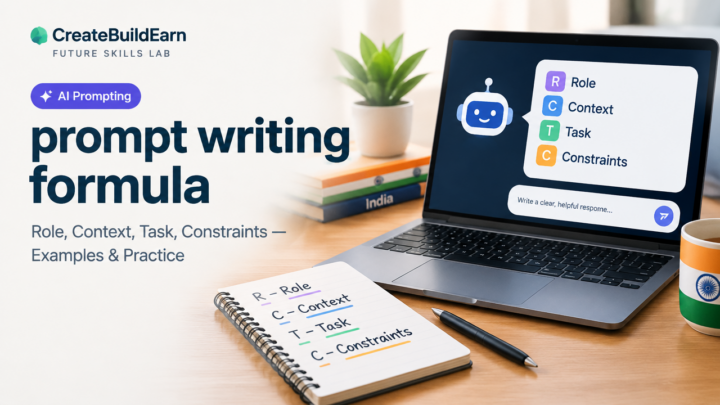
- Prompt Writing Formula: Role, Context, Task, Constraints
- AI Content Research Checklist with Source Verification
- Student AI Privacy Checklist Before Uploading Personal Information
- How to Research a Topic and Organize Notes Without Copying
Frequently Asked Questions
How many iterations are usually needed?
There is no fixed number. For simple tasks, 2–4 iterations are common. More complex or high-stakes tasks may need more. The goal is measurable improvement using your rubric.
What if iterations make the output worse?
Stop and revert to the last better version. Check if you changed too many things at once. Make smaller, more targeted edits next time.
Can I automate iterative testing?
Yes, with scripts and APIs you can run many variations automatically, but beginners should practice manual iteration first to learn which changes matter. Automation requires careful evaluation design and data privacy handling.
How do I verify facts the AI gives?
Ask the model to list sources or check facts against trusted sites (government, university, reputable news). Use the internal AI content research checklist link above to verify and record sources.
Is it safe to include real names or private data in prompts?
No. Avoid personal, financial or sensitive data. For student work, follow the Student AI Privacy Checklist linked above.
What is a focused change example?
Examples of focused changes: adding a role (“You are a math tutor”), specifying length (“in 3 bullet points”), or asking for examples (“include one classroom activity”).
How do I document my iterations?
Keep a simple table or spreadsheet with columns: prompt version, change made, output snippet, rubric scores, notes. This makes it easy to see which edits work.
Conclusion and next skill to learn
Improving a weak prompt is a repeatable, practical skill: define your goal, iterate with small changes, and evaluate results with a rubric. Over time you will learn which prompt patterns work best for different tasks. Next skill to learn: the Prompt Writing Formula (role, context, task, constraints) which helps structure stronger baseline prompts — follow the internal link above.
Final safety note: Always verify facts, keep private data out of prompts, and use responsible AI practices when publishing or acting on generated content.
Learn it by building something
Use the guide as a learning checklist, build a small version yourself, test it, explain what you learned and then improve the project.
How this guide was prepared
This guide is prepared for everyday readers using practical research, usability checks and editorial review. Product or tool-specific claims should be verified against current official documentation when needed.
How did you like this article?
Your feedback helps us make our guides more useful.



Join the Discussion
Join the conversation and share a useful tip, question or experience.