

Quick Start
What you will learn/build: Understand what AI hallucinations are, when they happen, practical steps to verify AI outputs, and a mini-project to check facts and sources.
Skill level: Beginner—suitable for students, creators and adult learners.
Time needed: 30–90 minutes for reading plus 1–2 hours for the mini-project practice.
What you need: A web browser, access to an AI chat or writing tool (optional), and ability to search reliable sources (encyclopedias, government sites, academic pages).
Overview: What are AI hallucinations?
AI hallucinations are incorrect, invented, or misleading statements produced by language models and some other AI systems. They can look confident and fluent but still be wrong. Hallucinations are a core limitation of many popular AI tools and are not the same as intentional lying—these systems do not have beliefs, they generate patterns based on data.
Why AI still helps: strengths despite limits
AI is useful for brainstorming, editing, summarising, coding help, translations, and idea generation. Strengths include speed, creativity, pattern recognition across large text collections, and consistent formatting. Knowing the limits helps you use AI where it adds value and avoid risky reliance on its factual output.
How hallucinations happen (simple explanations)
- Statistical prediction: Models generate likely next words, not verified facts.
- Training gaps: If reliable data is scarce for a topic, the model fills gaps by creating plausible-sounding content.
- Prompt ambiguity: Vague or misleading prompts can cause the model to invent details to satisfy the request.
- Mixing sources: Models blend information from many places and can merge incompatible facts.
- Outdated knowledge: Some models are trained on data only up to a cutoff date and may repeat old or changed facts.
Practical verification: a step-by-step path
Use this routine every time you rely on an AI output for facts, numbers, or claims.
- Mark the claim: Identify the exact statement to check (one sentence or one data point).
- Check primary sources first: Prefer government, academic, or official documents (for India, look for government portals, university pages, or reputable news outlets).
- Cross-check two independent sources: Find at least two reliable sources that agree.
- Check dates and context: Ensure the source is recent enough and applies to the same region or scope the AI mentioned.
- Look for citations: Prefer sources that cite original data (studies, statistics offices, official registers).
- When in doubt, flag the content: Mark as unverified and avoid publishing until confirmed.
Verification checklist (table)
| Step | What to look for | Pass/Fail |
|---|---|---|
| Is the claim specific? | Clear subject, date, number or location | |
| Primary source available | Government, academic or original document | |
| Two independent confirmations | Different trusted publishers agree | |
| Recent & relevant | Updated within the needed time window | |
| Attribution/citations exist | Sources are named and accessible |
Worked example: Verifying a simple factual claim
Claim: “Python was created by Guido van Rossum and first released in 1991.” Use the verification steps:
- Mark the claim: creator name and first release year.
- Search primary sources: visit the official Python website or the Python developer’s own documents.
- Cross-check: look up reputable encyclopedias (e.g., Encyclopedia entries), or university course pages that mention Python history.
- Check context: verify that 1991 refers to the first public release, not a later major version.
- Result: If multiple reliable sources match, mark it verified; if sources disagree, mark unverified and continue searching or ask an expert.
This example shows the method; do the steps yourself and cite the sources you used in your project notes.
Safe tools and workflows
Use a combination of tools: an AI assistant for drafting and summarising, a web browser for source checks, and a simple notes app or spreadsheet to track claims and sources. For research-heavy projects, keep a source log with URLs and the date you accessed them.
Recommended habits:
- Ask AI for sources: include a prompt like “Cite reliable sources for this claim and provide URLs” and then verify those URLs yourself.
- Prefer primary documents over blog posts.
- For statistics or numbers, find the original dataset or a government statistical office.
Mini-Project: Try It Now — Verify 5 AI Claims
Try It Now / Mini Project
Task: Take any AI-generated paragraph with five factual statements. For each statement:
- Highlight the exact sentence you will verify.
- Find at least two reliable sources that confirm or deny it, and save the links.
- Record whether the statement is Verified, Partially Verified, or Unverified.
- Write one sentence explaining why you trust the sources you chose.
Deliverable: A short document or slide showing the five statements, sources, and verification status.
Checkpoint: Self-review
After the mini-project, ask yourself:
- Did I identify the exact claim before searching?
- Did I use at least two independent, reliable sources?
- Did I record source URLs and access dates?
- Did I avoid sharing private or sensitive data with the AI during verification?
Common mistakes to avoid
- Trusting AI citations without opening the links—some models fabricate plausible URLs.
- Using only one source, especially if it is a secondary summary or blog post.
- Not checking the date or geographic scope of a source (a statistic for one country may not apply to another).
- Uploading personal data to test verification—keep privacy in mind (see internal privacy checklist).
Quick coding example (learning example only)
Here is a harmless Python snippet to compare two strings returned by an AI and a trusted source. This is for learning how to automate a simple match check.
# Learning example only
ai_answer = "Bamboo is a grass"
trusted_text = "Bamboo is a member of the grass family Poaceae."
# Simple substring check
if "grass" in trusted_text.lower() and "grass" in ai_answer.lower():
    print("Match on keyword: grass — still confirm full context.")
else:
    print("No simple match; verify manually.")
Review checklist before publishing AI-assisted content
| Item | Yes / No |
|---|---|
| All factual claims checked | |
| Primary sources linked | |
| Dates and context verified | |
| No personal data uploaded | |
| AI outputs labeled where needed |
Next practice and learning path
After this topic, practice by:
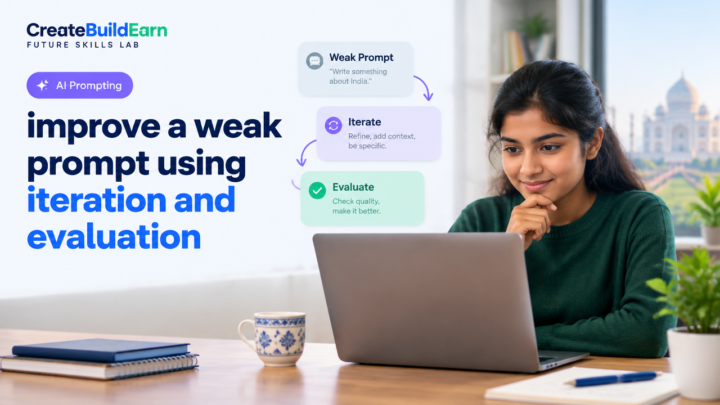
- Improving prompts so the model returns sources or structured answers — see Improve a Weak Prompt Using Iteration and Evaluation — Step-By-Step Guide.
- Use the AI Content Research Checklist with Source Verification to build a small research mini-project.
- Follow the Prompt Writing Formula to reduce ambiguity in future prompts.
- Review Student AI Privacy Checklist Before Uploading Personal Information to protect yourself.
Frequently Asked Questions
What is the difference between an AI hallucination and a deliberate lie?
AI hallucinations are unintentional errors that arise from how models predict text. Models do not have intentions or beliefs, so they do not “lie” in the human sense. Treat hallucinations as unreliable outputs that require verification.
Can I trust AI citations?
Not automatically. Some models invent plausible-sounding citations or URLs. Always open and read the source; prefer primary sources and cross-check with independent publishers.
Which sources are considered reliable?
Primary documents (government portals, research papers, official statistics), major academic publishers, and reputable news organisations. For local Indian facts, check official government sites, university pages, or reputable national newspapers.
How many sources are enough to verify a claim?
Aim for at least two independent, reliable sources that agree. For high-stakes claims, use more and prefer primary or peer-reviewed sources.
Is there a tool that automatically detects hallucinations?
Some tools and plugins flag low-confidence text or check whether URLs exist, but no tool is perfect. Human review and source checking remain essential.
Should I cite the AI if I used it to draft content?
Yes—be transparent about AI assistance. Also cite the original sources you verified, not the AI itself, for factual claims.
What if I cannot find reliable sources for a claim?
Mark the claim as unverified, avoid publishing it as fact, and either seek expert help or rephrase the content as speculative or approximate.
Conclusion and next skill to learn
AI is a powerful helper but can produce confident-sounding errors. Use the verification steps, keep a source log, and build the habit of cross-checking before you publish or act on AI outputs. Your next skill: practice better prompting and iteration to reduce hallucinations—start with Prompt Writing Formula and Improve a Weak Prompt Using Iteration and Evaluation.
Relevant learning resources: AI Content Research Checklist with Source Verification, Improve a Weak Prompt Using Iteration and Evaluation, Prompt Writing Formula, Student AI Privacy Checklist Before Uploading Personal Information.
Learn it by building something
Use the guide as a learning checklist, build a small version yourself, test it, explain what you learned and then improve the project.
How this guide was prepared
This guide is prepared for everyday readers using practical research, usability checks and editorial review. Product or tool-specific claims should be verified against current official documentation when needed.
How did you like this article?
Your feedback helps us make our guides more useful.


Join the Discussion
Join the conversation and share a useful tip, question or experience.