
Quick Start
What you will learn/build: Understand AI agent concepts (memory, tools, steps), set up a small safe agent that stores short-term memory and flags items for human review.
Skill level: Beginner — no heavy coding required. Basic technical comfort helpful.
Time needed: 1–3 hours to read and try the mini-project; longer to expand.
What you need: A computer, internet, a free account on an AI API or a no-code agent platform (verify provider rules), a text editor, and curiosity.
Introduction — Why memory and human review matter for AI agents
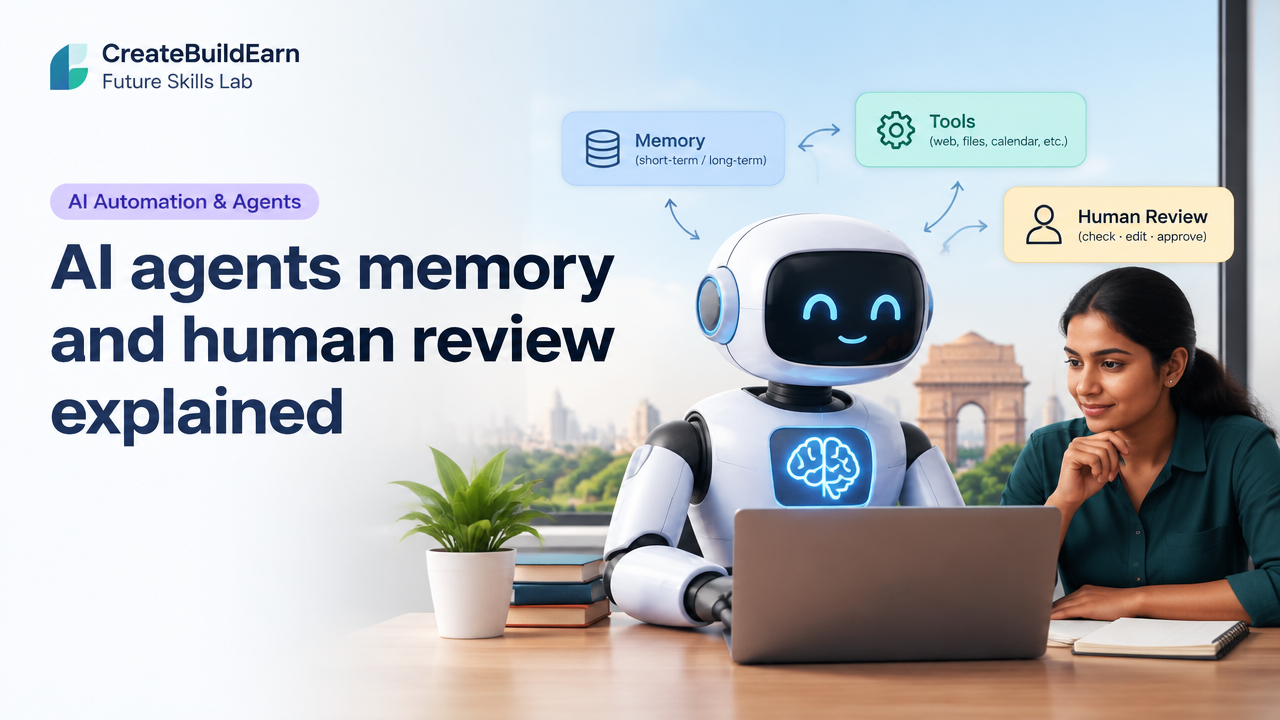
AI agents are programs that use language models and tools to perform tasks automatically. Memory lets an agent remember context across steps. Tools let it interact with the web, files, or calendars. Human review (human-in-the-loop) provides safety, quality control and ethical checks. Together they make agents more useful and trustworthy—but also more complex. This guide explains the core ideas, tools, a step-by-step path, and a safe mini-project you can build as a beginner.
Core concepts, explained simply
- Agent: A system that performs tasks (answering questions, scheduling, drafting) using an AI model and optional tools.
- Memory: Stored facts or conversation context the agent can use later. Can be short-term (session-only) or long-term (persistent data).
- Tools: Functions the agent can call—web search, calculator, file reader, calendar API, etc.
- Human review: A step where a person checks, edits or approves agent outputs. Critical for safety, privacy and quality.
- Human-in-the-loop patterns: Review-before-action (block risky actions), review-after-action (audit logs), and assisted-review (agent drafts, human finalizes).
Prerequisites and safety notes
Before building or testing agents:
- Learn the basics of prompts and how models can make confident but incorrect claims. See our guide How to Write Better AI Prompts.
- Plan data privacy: never feed sensitive personal or financial data into third-party APIs without consent.
- Use human review for any output that affects real people or decisions.
- Check provider limits, terms and any age or location restrictions before signing up.
Practical step-by-step path
- Decide the agent’s simple purpose (example: study helper that saves key facts and flags uncertain answers).
- Choose platform: no-code agent builder, or a simple script using an AI API. Start with no-code if new.
- Design memory: what to store (facts, user preferences), retention (session vs persistent), and privacy rules.
- Define tools required: web search, calculator, file reader, and any cautionary checks.
- Insert human review points: which outputs must be approved before action or sharing.
- Test with safe, non-sensitive examples and keep logs for auditability.
- Iterate: review failures and adjust prompts, memory rules, and review thresholds.
Worked example: A study helper agent with short-term memory and human review
Goal: Build a simple agent that answers study questions, stores up to 10 short facts from the user in session memory, and flags answers with low confidence for human review.
High-level design:
- Input: Student question.
- Agent steps: (1) Search memory for related facts, (2) use AI model to answer, (3) estimate confidence, (4) if confidence < threshold → add to review queue; else → reply to user and optionally store new fact.
Simple Python-like learning example (pseudocode) — harmless and for study only:
# Learning example pseudocode
memory = []  # list of short facts (session only)
review_queue = []

def answer_question(question):
    context = find_relevant(memory, question)
    prompt = build_prompt(context, question)
    response, confidence = call_ai_model(prompt)

    if confidence < 0.6:
        review_queue.append({ 'question': question, 'response': response })
        return "I flagged this answer for review. A human will check it soon."
    else:
        maybe_store_fact(memory, response)
        return response

# Helper functions are simple wrappers for searching memory, building prompts, and storing facts.
Notes:
- call_ai_model is a placeholder for your API call; confidence can be model-provided or estimated by a separate check (e.g., external verification).
- Keep memory short and explicit. For persistent memory, encrypt sensitive data and give users clear controls.
Mini-project: Try It Now — Build a safe study agent (no-code or lightweight script)
Try It Now / Mini Project
Objective: Create a study assistant that stores up to 10 session facts and flags low-confidence answers for human review.
- Pick a platform: a no-code bot builder or a simple script using a free tier API (follow provider rules).
- Create a chat interface that accepts user questions.
- Add a small memory store (array/list) with max 10 items; show the user what is stored and allow deletion.
- Implement a simple confidence rule: if the model responds with phrases like “I’m not sure” or returns low probability, add to review queue.
- Make a review page where a human can see flagged items, edit answers and approve or reject them.
- Test with non-sensitive study questions, iterate prompts, and document changes.
Deliverable: A functioning demo where flagged answers are routed to a review list and approved answers can be returned to users.
Checklist / Quick reference table
| Area | Action | Why it matters |
|---|---|---|
| Memory | Limit size, label data, explain retention | Prevents leakage and keeps context useful |
| Tools | List needed tools and restrict access | Minimizes accidental actions |
| Human Review | Define thresholds and workflow | Ensures safety and correctness |
| Logging | Store audit logs | Helps debugging and accountability |
| Privacy | Filter sensitive inputs | Protects users and compliance |
Checkpoint — Self-review questions
- Have I limited what the agent can store in memory and why?
- Is every tool access justified and limited to necessary operations?
- Do I have clear human review triggers and an easy way to approve or correct outputs?
- Are logs and user-visible records kept (with privacy safeguards)?
Common mistakes and how to avoid them
- Storing sensitive data by default: Avoid it. Only store non-sensitive facts and ask for consent for persistent memory.
- No review for high-impact actions: Always require human approval for anything that affects accounts, money, health or safety.
- Trusting model confidence blindly: Models can be overconfident. Use external verification or conservative thresholds.
- Poor audit logs: Without logs you can’t fix or explain errors. Keep time-stamped records of decisions.
Review checklist before public use
- Memory policy written and displayed to users.
- Human review workflow tested end-to-end.
- Tool permissions limited and documented.
- Privacy and consent checks are in place.
- Fail-safe behavior defined if an external API fails.
Next practice — how to expand safely
After building the mini-project, try these next steps:
- Connect a read-only web search tool and add citation checks.
- Implement a simple verification step: cross-check answers with two sources before marking high-confidence.
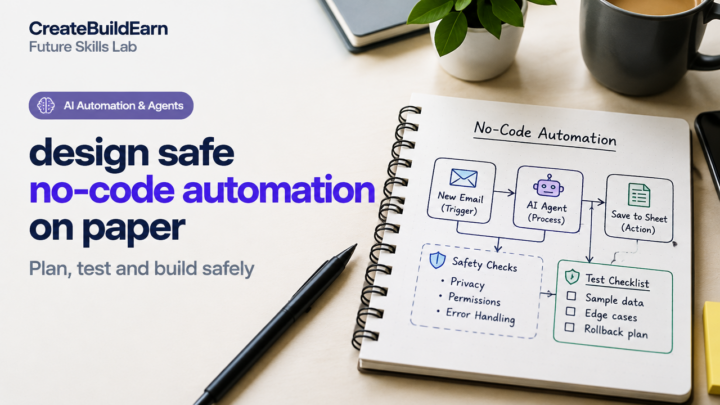
- Design a paper plan for a no-code automation using our Design Safe No-Code Automation on Paper guide.
- Learn better prompting and study-focused agent designs in How to Write Better AI Prompts and 7 Powerful Steps to Build an AI Study Assistant.
Frequently Asked Questions
What is the difference between short-term and long-term memory in agents?
Short-term memory lasts for a session and is ideal for context while the user interacts. Long-term memory persists across sessions and is used for preferences or user history. Long-term storage needs stronger privacy and consent controls.
How do I decide what the agent should store?
Store only information that improves the agent’s task (preferences, study facts, frequent settings). Avoid sensitive personal data and always offer a delete option and clear explanation of retention.
When is human review required?
Require review for outputs that could harm people, affect finances, change accounts, or provide medical/legal advice. For low-risk tasks like drafting text, consider sampled or assisted review.
How can I estimate model confidence?
Some APIs return confidence or token probabilities. If not, use heuristic checks: presence of hedging language (“I think”, “not sure”), cross-check against reliable sources, or a separate verification call.
Can I build this without coding?
Yes—many no-code platforms let you create agents with memory blocks and review workflows. Start with no-code to prototype, then move to code for more control.
How should I log agent actions?
Log inputs, outputs, timestamps, memory changes, tool calls and who approved any reviewed outputs. Anonymize or protect logs that contain personal data.
What are safe defaults for a beginner agent?
Safe defaults: session-only memory, conservative confidence threshold, explicit user consent for storage, and mandatory human approval for risky actions.
Where can I learn more about prompting and studying with AI?
Start with our guides on prompts and study assistants: How to Write Better AI Prompts and How to Build an AI Study Assistant.
Conclusion and next skill to learn
AI agents with memory and human review can be powerful helpers when designed carefully. Begin small: limit memory, define review points, log everything and protect privacy. Next, learn to add safe tool integrations and stronger verification methods. Good next skills: building verification checks, learning no-code agent flows, and improving prompts—start with our prompt guide and the no-code design checklist.
Internal learning links you may find useful:
- How to Write Better AI Prompts Without Magic Words
- Design Safe No-Code Automation on Paper — Plan, Test and Build Safely
- 7 Powerful Steps to Build an AI Study Assistant Project
- AI Automation Explained With Simple Workflows
Learn it by building something
Use the guide as a learning checklist, build a small version yourself, test it, explain what you learned and then improve the project.
How this guide was prepared
This guide is prepared for everyday readers using practical research, usability checks and editorial review. Product or tool-specific claims should be verified against current official documentation when needed.
How did you like this article?
Your feedback helps us make our guides more useful.



Join the Discussion
Join the conversation and share a useful tip, question or experience.