
4 Week Digital Creator Beginner Learning Path: Learn, Create, Grow
Quick Start
- What you will learn/build: A simple creator routine and one portfolio asset (social post + single-page portfolio or a short video), basic AI-safe habits, content planning and growth basics.
- Skill level: Absolute beginner — no prior experience required.
- Time needed: 20–45 minutes daily; 4 focused weeks (approx. 15–25 hours total).
- What you need: Smartphone or laptop, free accounts (social platform + free site-builder or GitHub Pages), free image/video tools and a basic notebook (digital or paper).
Why this 4‑week path works
This plan is project-first: you learn by creating small, useful items that go into a beginner portfolio. Each week follows the site’s daily locked tracks: A Learn + AI Foundation, B Create + Build, C Grow + Value, D Project + Future Path. The routine builds skills, tools and a repeatable content flow.
How the daily locked tracks map to your weeks
Each day focuses on one track so you stay consistent and avoid burnout. Sample daily layout (20–45 mins):
- Track A (Learn + AI): Short study, safe use of AI for research or drafting.
- Track B (Create + Build): Tools practice — images, short videos, simple HTML/CMS tasks.
- Track C (Grow + Value): Caption, SEO basics, content formats and planning.
- Track D (Project + Future Path): Build your portfolio item, reflect and plan next step.
4‑week overview (practical checklist)
| Week | Focus | Daily Goal | End Result |
|---|---|---|---|
| Week 1 | Foundations: Tools & AI safety | Learn tools & safe AI prompting | Short content idea list + simple AI prompt checklist |
| Week 2 | Create: Visuals & short video | Practice design, aspect ratio, edits | 1 short video or 3 branded images |
| Week 3 | Build: Portfolio & publishing | Make portfolio page + publish first piece | Live one-page portfolio + published post |
| Week 4 | Grow: Strategy & review | Plan posting schedule + basic SEO | 7-day content calendar + growth checklist |
Prerequisites & safe AI rules
Prerequisites: curiosity, 30 minutes per day, an email account and a phone or computer. When using AI tools follow these simple safety rules:
- Verify facts from at least one reliable source; do not publish AI-made facts without checking.
- Protect personal data: do not paste sensitive IDs, phone numbers, or passwords into AI prompts.
- Respect copyright: use licensed or original media. If using AI-generated images, check platform terms and mark content if required.
- Use AI as assistant, not author—edit AI output and add your voice. For tips on tutoring with AI, see How to Use AI as a Tutor Without Letting It Do All the Thinking.
Week-by-week practical steps (daily examples)
Below is a sample daily plan. Adjust time and difficulty to your schedule.
- Day 1 (Week 1, Track A): Read a short guide on how creators use basic tools. Spend 20 minutes learning aspect ratio and resolution. (See Aspect Ratio, Resolution, File Format & Tools for Creators Explained.)
- Day 2 (Track B): Open a free design tool and recreate a simple social card (800×800 px).
- Day 3 (Track C): Write 3 caption ideas using active voice. Draft 1 hashtag group.
- Day 4 (Track D): Add the image and caption to a draft portfolio file or a notes folder.
- Repeat and expand each day, increasing complexity weekly.
Worked example: Create a simple one-page portfolio bio (HTML learning example)
This short example helps you publish a portfolio page you can host on a free builder or GitHub Pages. It’s a learning example—modify text and images to reflect your work.
<!doctype html>
<html lang="en">
  <head>
    <meta charset="utf-8">
    <meta name="viewport" content="width=device-width,initial-scale=1">
    <title>Your Name - Creator Portfolio</title>
  </head>
  <body>
    <h1>Your Name</h1>
    <p>Short one-line bio: what you create and who it helps.</p>
    <h2>Featured Work</h2>
    <ul>
      <li>Short Video: 30-second explainer (link or embed)</li>
      <li>Image series: 3 social cards (links)</li>
    </ul>
    <p>Contact: your email (create a dedicated creator email)</p>
  </body>
</html>
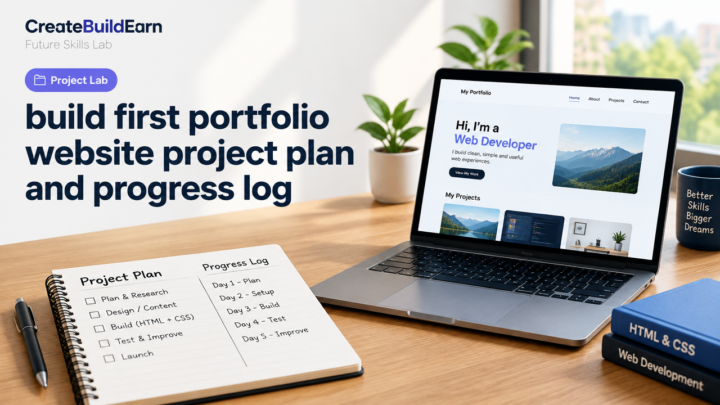
How to use: paste this into a new file called index.html and upload to a free host. Replace text with your own and link to media you produced in Week 2–3.
Try It Now / Mini Project
Mini-project (goal: publish one sharable piece + portfolio entry):
- Pick a simple topic you enjoy (example: “How I plan a 10-minute study session”).
- Create a 30–60 second video or 3-image carousel demonstrating the idea.
- Write a short caption (2–3 sentences) and 5 relevant, honest hashtags.
- Publish it on one platform and add the post link or embedded file to your one-page portfolio.
Timebox: 2–3 hours across two days. Focus on finishing—not perfection.
Checkpoint / Self-Review
After finishing the mini-project, answer these questions honestly:
- Did I finish and publish the work?
- Can I explain the idea in one sentence?
- Did I verify any factual claims and respect copyright?
- Is the content stored in my portfolio or a safe backup?
Common mistakes beginners make
- Spending too long on tools instead of finishing work. (Finish first, refine later.)
- Using AI outputs without verification or proper credit. Always check and edit AI text and images.
- Trying to be present on too many platforms. Start with one and grow responsibly.
- Not saving original files or using private accounts for backups.
Review Checklist (before moving to Week 2)
| Task | Done |
|---|---|
| Completed at least one published post | [ ] |
| Created a simple one-page portfolio with links | [ ] |
| Saved original media files in a folder | [ ] |
| Wrote a short caption and practiced editing AI output | [ ] |
Next practice — Week 2 focus
In Week 2 you will deepen creation skills: make visuals or a short video and practice editing. Useful internal guides:
- Aspect Ratio, Resolution, File Format & Tools for Creators Explained
- Beginner Portfolio Before Client Work
- Social Media Content Strategy Goals and Formats
- Study Session Planner for 30, 60 and 90 Minute Sessions
Simple growth and ethical monetisation note
Early growth is about consistency and genuine value. Track simple metrics (views, saves, comments) and focus on making a small, useful portfolio. If you later offer paid services, follow the site rule: portfolio-first and transparent pricing. Avoid quick-growth spam tactics or fake engagement.
Frequently Asked Questions
How much time do I really need each day?
20–45 minutes daily is enough for steady progress. If you can do one longer session on weekends, use it for editing and publishing.
Do I need to pay for tools?
No. You can start with free tools and free hosting. Paid tools help speed up work, but are not required to build a portfolio or publish content.
Is it safe to use AI for creating captions or images?
Yes, if you verify facts, avoid sharing personal data, and check the tool’s usage/licensing rules. Always edit AI outputs to add your voice and confirm factual claims.
What should I include in a beginner portfolio?
One-line bio, 2–4 featured pieces with short descriptions, and contact info. Focus on clarity and ownership of work rather than quantity. See the linked beginner portfolio guide for details.
How do I pick which platform to publish on?
Pick one where your audience already is or where your content format fits best (images on Instagram/X reels-style video on short-video platforms). Start small and expand later.
How will I know if I am improving?
Track how quickly you finish projects, feedback received, and how easily you can explain your idea. Improvement often shows in consistency and simpler production processes.
Can this path lead to paid work?
This path prepares you for portfolio-first offers. Earning depends on quality, consistency and how you package your skills—no guarantees. Learn how to turn skills into services after you have 3–5 solid portfolio pieces.
Conclusion and next skill to learn
Finish this 4-week path with a published piece and a simple portfolio. Next, focus on either improving technical creation (video editing or basic web publishing) or on growth skills (content strategy and SEO). A recommended next skill: basic content strategy—plan formats, posting cadence and audience review. When you’re ready, use the Social Media Content Strategy and SEO guides linked above to scale your creator work.
Learn it by building something
Use the guide as a learning checklist, build a small version yourself, test it, explain what you learned and then improve the project.
How this guide was prepared
This guide is prepared for everyday readers using practical research, usability checks and editorial review. Product or tool-specific claims should be verified against current official documentation when needed.
How did you like this article?
Your feedback helps us make our guides more useful.

Join the Discussion
Join the conversation and share a useful tip, question or experience.