
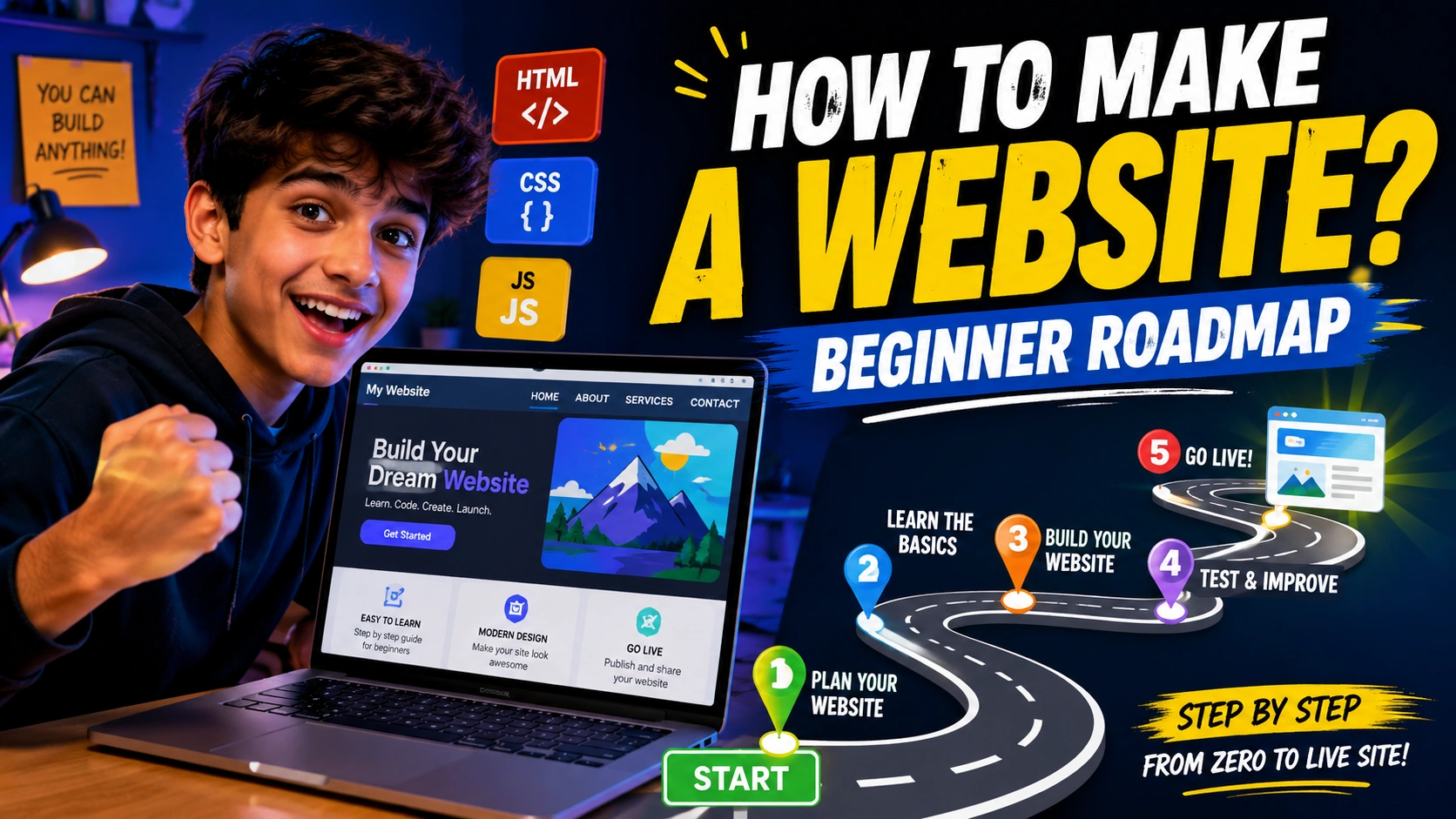
Have you ever visited a really cool website and thought, “I want to make a website like this!”?
I had this thought many times when I first became interested in websites. At first, making a website looked very difficult. I saw words like HTML, CSS, JavaScript, hosting, domain, server, and many other things. Honestly, it looked confusing.
But the good thing is that you do not need to know everything on your first day.
You can start with a very small website and slowly learn more. In this guide, I will explain how to make a website in simple English and in a way that a complete beginner can understand.
“You don’t have to be great to start, but you have to start to become great.”
The main idea is simple. First, decide what you want to build. Then learn the basics, create your pages, test everything, and finally put your website online.
So, let’s start.
What Is a Website?
A website is a group of web pages that people can open using a web browser such as Chrome, Edge, Firefox, or Safari.
For example, a website can be:
- A personal portfolio
- A blog
- A gaming website
- A school project
- A business website
- An online store
- A news website
- A photography website
- A tutorial website
A website can be very small or very big.
Your first website does not need to have 50 pages. Even one simple page is a real website.
If you are learning, I recommend starting with one page. After that, you can add more pages.
Read More: Graphic Design Basics: A Beginner Guide
Step 1: Decide Why You Want a Website
Before writing any code, think about the purpose of your website.
Ask yourself:
Why am I making this website?
Maybe you want to make a website for your YouTube channel. Maybe you want a portfolio to show your projects. Maybe you want to start a blog.
Knowing the purpose makes everything easier.
For example, if you want a gaming website, you could have:
- Home
- Games
- News
- Videos
- About
- Contact
If you want a personal portfolio, you could have:
- Home
- About Me
- My Skills
- My Projects
- Contact
Do not make your first website too complicated.
Start small and improve it later.
Step 2: Plan Your Website
Now you have an idea. The next step is planning.
You do not need a fancy design tool for this. You can even use paper.
Draw a simple box for the header. Then draw boxes for your main content and footer.
For example:
Header → Navigation → Main Section → Projects → About → Contact → Footer
This simple plan can save you a lot of time.
You should also decide what text, images, buttons, and links you want on the website.
A beginner mistake is starting to code without thinking about the content. Then they keep changing everything again and again.
So, spend a little time planning first.
Step 3: Learn HTML
If you want to learn how to make a website by coding, HTML is one of the first things you should learn.
HTML stands for HyperText Markup Language.
Don’t let the big name scare you.
HTML is mainly used to create the structure of a webpage.
Think of a house.
The walls, rooms, doors, and windows are like the structure of the house. In a website, HTML creates that basic structure.
HTML can create things like:
- Headings
- Paragraphs
- Images
- Links
- Buttons
- Lists
- Tables
- Forms
- Sections
For example, you can use HTML to tell the browser, “This is my heading,” or “This is my paragraph.”
You don’t need to learn every HTML tag at once.
Start with basic tags and slowly practice.
“Don’t try to learn everything. Learn something, build something, and then learn the next thing.”
Step 4: Learn CSS
After HTML, the next big thing is CSS.
CSS stands for Cascading Style Sheets.
HTML gives your website its structure, while CSS makes it look good.
With CSS, you can change:
- Colors
- Fonts
- Sizes
- Spacing
- Backgrounds
- Borders
- Buttons
- Layouts
- Animations
Imagine HTML is the body of your website and CSS is its clothes and style.
A website made with only basic HTML may look very plain. CSS can turn it into something much nicer.
You can make a dark website, colorful website, clean website, gaming website, or almost any style you want.
One important thing to learn is responsive design.
Responsive design means your website should work properly on different screen sizes, including phones, tablets, laptops, and desktop computers.
Step 5: Learn JavaScript
After HTML and CSS, you can start learning JavaScript.
JavaScript makes websites more interactive.
For example, JavaScript can help you create:
- Menus
- Popups
- Calculators
- Games
- Sliders
- Forms
- Timers
- To-do lists
- Interactive buttons
You do not need JavaScript for every simple website. But if you want to create interactive projects, it is very useful.
For a beginner, I would suggest learning HTML first, then CSS, and then JavaScript.
Don’t jump into complicated frameworks immediately.
First understand the basics.
Step 6: Choose Your Website Building Method
There is not only one way to make a website.
You have different choices.
Option 1: Code It Yourself
You can use HTML, CSS, and JavaScript to create your website.
This is a great choice if you want to learn web development.
You have more control because you are writing the code yourself.
Option 2: Use WordPress
WordPress is another popular way to create websites.
It can be useful if you want to make a blog, business website, or content website without writing everything from scratch.
Option 3: Use a Website Builder
Website builders can let you create pages using ready-made designs and visual editing tools.
This can be easier for someone who wants a website quickly and does not want to spend a lot of time learning code.
The best option depends on your goal.
If your main goal is learning coding, start with HTML, CSS, and JavaScript.
Step 7: Get a Domain Name
A domain name is the address people use to visit your website.
For example, a website might have an address like:
example.com
Try to choose a domain that is:
- Short
- Easy to remember
- Easy to spell
- Related to your website
- Not confusing
Avoid making the name extremely long.
If your website is about gaming, you could choose a short gaming-related name.
Think carefully before buying a domain because changing your name later can be annoying.
Step 8: Understand Web Hosting
A website needs a place where its files can be stored so people can access them online.
This is where web hosting comes in.
You can think of hosting like renting a small space on the internet for your website.
Your website files can include:
- HTML files
- CSS files
- JavaScript files
- Images
- Videos
- Other website files
When someone visits your domain, their browser gets the required files from the server and shows the website.
Domain and hosting are different things, but they work together.
A domain is like your website’s address.
Hosting is like the place where your website lives.
Step 9: Build Your First Website
Now comes the fun part.
Start building.
For your first website, don’t try to make Facebook, YouTube, or Amazon.
Make something simple.
For example, create a personal portfolio website.
Your homepage could contain:
Welcome to My Website
Then add:
About Me
Write a few lines about yourself.
Then:
My Projects
Add cards for projects you have made.
Then:
My Skills
You can list HTML, CSS, JavaScript, drawing, video editing, or anything else you know.
Finally:
Contact Me
Add a simple contact section.
This is already enough for a beginner project.
Step 10: Make Your Website Look Good
A website does not need hundreds of colors and animations to look good.
Actually, using too many things can make your website confusing.
Try to keep your design simple.
Choose two or three main colors.
Use readable fonts.
Give your content enough space.
Make buttons easy to see.
Keep your navigation simple.
Also remember that content is more important than decoration.
A beautiful website with confusing content is not very useful.
A simple website with clear information can be much better.
Step 11: Make It Mobile Friendly
Many people use phones to browse websites.
That means your website should not only look good on a computer.
Open your website on a phone or make your browser window smaller.
Check:
- Does the text fit?
- Are buttons easy to press?
- Does the menu work?
- Are images too large?
- Is anything going outside the screen?
- Can people read everything?
If something looks broken, fix it.
Responsive design is an important part of modern website development.
Step 12: Test Everything
Before publishing your website, test it.
Click every button.
Open every page.
Test every link.
Check every image.
Try your website on different screen sizes.
Look for spelling mistakes.
If you have a contact form, test that too.
Sometimes one small mistake can break something.
For example, you might write the wrong file name in an image link. The image will then not appear.
Don’t worry if you find bugs.
Bugs are normal when you are learning.
Finding and fixing bugs is actually one of the best ways to learn.
Step 13: Publish Your Website
Once your website is ready, you can publish it online.
There are different ways to do this depending on how your website was made.
For a simple coded website, you can use services that support static websites. Other websites may need traditional hosting or a server.
The exact process depends on your tools.
The important thing is to understand the basic journey:
Create → Test → Publish → Improve
Once your website is online, send the link to your friends and family.
It feels really good when someone else opens something you created.
Important Links and Information
| Topic | What It Means | Why It Is Useful |
|---|---|---|
| HTML | Creates webpage structure | Important first step for coding |
| CSS | Styles the webpage | Makes your website look better |
| JavaScript | Adds interaction | Useful for dynamic features |
| Domain | Website address | Helps people find your website |
| Hosting | Place where website files live | Makes your website available online |
| Responsive Design | Design that works on different screens | Important for phones and tablets |
| Browser | Software used to open websites | Helps you test your website |
| Code Editor | Tool for writing code | Useful for building websites |
| SEO | Helps search engines understand your website | Useful for getting visitors |
| Testing | Checking your website for problems | Helps prevent broken pages |
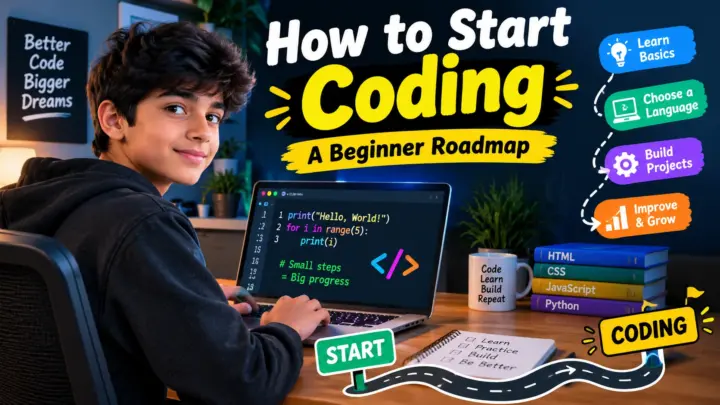
A Simple Beginner Roadmap
If you are completely new, don’t try to learn everything in one week.
Here is a simple roadmap.
Week 1: Learn basic HTML.
Create headings, paragraphs, links, images, lists, and simple forms.
Week 2: Learn basic CSS.
Practice colors, fonts, spacing, borders, buttons, and layouts.
Week 3: Build a small website.
Make a personal page, gaming page, or simple portfolio.
Week 4: Learn basic JavaScript.
Create buttons, counters, simple calculators, or other small interactive projects.
After that: Learn responsive design, Git, hosting, SEO basics, and more advanced web development.
The important thing is to build projects while learning.
Reading tutorials is useful, but making things yourself is even better.
Beginner Mistakes to Avoid
When I started learning things like this, it was easy to get distracted by too many tutorials and tools.
Here are some mistakes beginners should avoid.
Trying to Learn Everything
You don’t need to learn HTML, CSS, JavaScript, React, databases, servers, and ten other technologies on your first day.
Learn one thing at a time.
Copying Code Without Understanding It
Copying code can help sometimes, but try to understand what the code does.
Change something.
Break something.
Fix it.
That’s how you learn.
Making the First Project Too Big
Your first website does not need login systems, payments, chat, AI, animations, and 100 pages.
Start with something you can actually finish.
Giving Up When There Is an Error
Errors are part of coding.
If something does not work, read the error and check your code.
Sometimes the problem is just one missing character.
Comparing Yourself With Others
You may see someone making amazing websites and think you are very behind.
Don’t do that.
Everyone starts somewhere.
Your first website may not look perfect, and that’s completely okay.
“Your first website is not supposed to be perfect. It is supposed to teach you something.”
What Should You Build as a Beginner?
If you don’t know what project to make, try one of these:
- Personal portfolio
- Gaming website
- Simple blog
- Calculator
- To-do list
- Weather page
- Quiz website
- Movie information page
- School project website
- Simple online store design
Try to make every new project a little better than the last one.
For example, your first project can use HTML and CSS.
Your second project can add JavaScript.
Your third project can have multiple pages.
Your fourth project can be responsive.
This way, you slowly become better.
How Long Does It Take to Learn Website Making?
There is no exact answer.
If you practice for a few hours every week, you can learn the basics over time.
You can make a simple website surprisingly quickly. Becoming really good at web development takes much longer because there are many things to learn.
Don’t focus only on how many days it takes.
Focus on what you can build.
A person who builds five small projects will usually learn much more than someone who watches 50 tutorials without building anything.
Is Coding Required to Make a Website?
No.
You can make websites using website builders and content management systems without writing all the code yourself.
But learning coding is a great idea if you want more control or want to become a web developer.
HTML, CSS, and JavaScript are a strong starting point for beginners. Modern web development can later include frameworks, backend programming, databases, APIs, and other tools.
FAQ
1. How to make a website for free?
You can start by creating a website with HTML and CSS on your computer. You can also use some free website hosting or publishing services. The exact features and limits depend on the service you choose.
2. Is HTML difficult for beginners?
No. HTML is usually a good starting point because its basic purpose is easy to understand. You can learn simple tags first and build small pages while learning.
3. Do I need to know JavaScript to make a website?
Not always. You can create simple websites with HTML and CSS. JavaScript becomes useful when you want interactive features such as calculators, menus, games, and other dynamic functions.
4. How much does it cost to make a website?
It can cost nothing if you are learning and using free tools. If you want your own domain and paid hosting, you may need to pay for those services. The cost depends on the type of website and the services you choose.
5. Can a beginner make a professional website?
Yes. A beginner can make a good-looking website by starting small, learning the basics, using a clean design, testing carefully, and improving the project over time.
Conclusion
Learning how to make a website can look scary at first, but it becomes much easier when you divide it into small steps.
First, decide what your website is about.
Then learn HTML for structure, CSS for design, and JavaScript for interaction. After that, learn about domains, hosting, responsive design, testing, and publishing.
You don’t need to become an expert before making your first website.
Make the first one now. Make the second one better. Keep building.
Your first website may have bad colors, broken buttons, weird spacing, or even some errors. That’s fine.
The important thing is that you made it.
And honestly, there is something really cool about typing a website address into a browser and seeing something that you created yourself.
So if you have been thinking, “How to make a website?”, don’t keep thinking about it forever.
Start with one page.
Write some HTML.
Add some CSS.
Try some JavaScript.
Break things.
Fix them.
Learn.
Build again.
That’s the real beginner roadmap.
Want a professional website designed for your business or blog?
Visit eDigitalized for website design and development services.
Need help or support?
Visit our Contact Us page and get in touch with us.
Want to become a blogger and start your own blog?
Visit WP Bazaar for blogging resources, tools, and helpful guides.
How this guide was prepared
This guide is prepared for everyday readers using practical research, usability checks and editorial review. Product or tool-specific claims should be verified against current official documentation when needed.
How did you like this article?
Your feedback helps us make our guides more useful.

Join the Discussion
Join the conversation and share a useful tip, question or experience.