
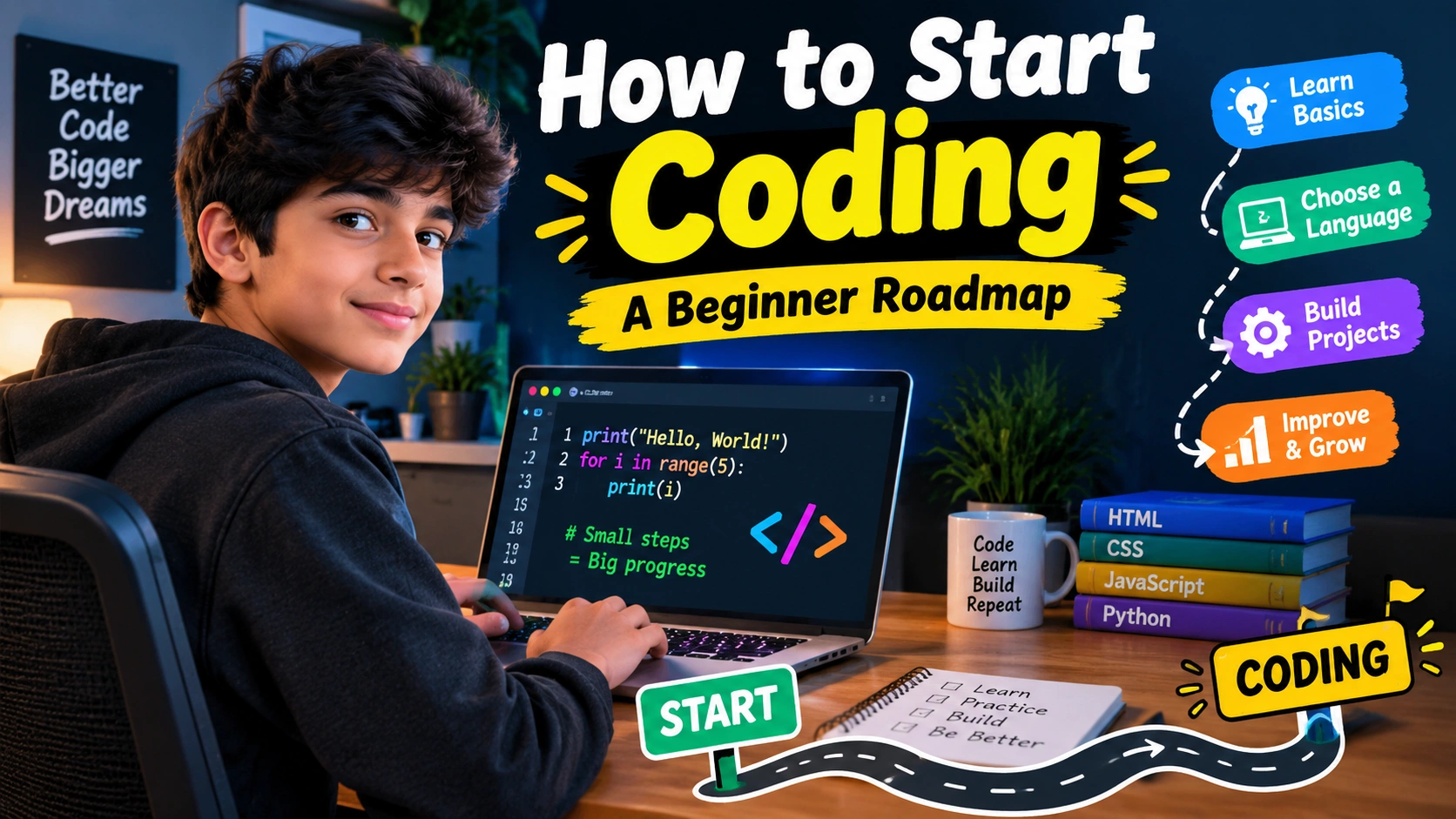
When I first heard about coding, I honestly thought it was something only super-smart computer people could do. I used to see programmers typing lots of strange-looking words on a black screen and think, “How does anyone understand this?”
But coding is not magic.
It is basically giving instructions to a computer so it knows what you want it to do.
If you are also wondering how to start coding, don’t worry. You do not need to know everything before you begin. You don’t need to be a computer expert either.
You just need a computer, some time, patience, and the willingness to make mistakes.
“You don’t have to be great to start, but you have to start to become great.”
That is the mindset I think every beginner should have.
In this article, I will share a simple how to start coding roadmap that you can follow even if you have never written a single line of code.
What Is Coding?
Before learning coding, let’s understand what it actually means.
Coding means writing instructions that a computer can understand and follow.
For example, you can tell a computer:
- Show a message.
- Add two numbers.
- Ask the user a question.
- Open a website.
- Create a game.
- Save information.
- Move a character.
- Change the color of something.
All of these things can be done using code.
Think about giving instructions to a friend. If you say, “Make me a sandwich,” they may understand what you mean.
But a computer needs much clearer instructions.
You might have to tell it:
- Get the bread.
- Put cheese on it.
- Add vegetables.
- Put the second slice of bread on top.
- Serve it.
Computers are very fast, but they need instructions in a proper form.
That is where programming languages come in.
How to Start Coding When You Know Nothing
The biggest mistake beginners make is trying to learn everything at once.
There are thousands of programming languages, tools, websites, frameworks and technologies.
You don’t need all of them.
If you search for coding roadmaps, you may see huge lists containing dozens of technologies. That can make a beginner feel lost.
A better way is to follow a simple order:
Choose one language → Learn the basics → Practice → Build small projects → Learn more → Choose a direction
This is the basic idea behind learning how to start coding.
Read More: Graphic Design Basics: A Beginner Guide
Step 1: Decide Why You Want to Learn Coding
Before choosing a programming language, ask yourself:
“What do I want to make?”
Maybe you want to:
- Make websites.
- Create games.
- Build apps.
- Automate boring tasks.
- Work with data.
- Learn artificial intelligence.
- Make useful software.
- Understand how computers work.
You don’t need a perfect answer.
Even saying, “I just want to try coding,” is completely fine.
Your reason may change later.
When I started learning about technology, I was interested in making things. That made learning much more fun than simply memorizing code.
Your goal does not have to be huge. Just have something that makes you curious.
Step 2: Choose Your First Programming Language
This is where beginners often get confused.
Should you learn Python?
JavaScript?
C++?
Java?
C?
There is no single language that is perfect for every person.
For many beginners, Python is a friendly first choice because its basic syntax is fairly easy to read.
JavaScript is another useful option if your main interest is websites.
| Language | Good For | Beginner Level |
|---|---|---|
| Python | General programming, automation, data, AI | Easy |
| JavaScript | Websites and web apps | Easy to Medium |
| C++ | Games, software, competitive programming | Medium |
| Java | Apps, software and structured programming | Medium |
| C | Learning low-level programming and computer basics | Medium |
If you are completely confused, starting with Python is a reasonable choice.
But if you already know you want to make websites, starting with HTML, CSS and JavaScript can make more sense.
The important thing is not to keep changing languages every few days.
“Pick one road and walk far enough to see where it goes.”
Step 3: Learn the Basic Coding Concepts
Now the real learning begins.
Don’t immediately jump into complicated projects.
First understand the building blocks.
Variables
A variable is like a box where you can store information.
For example, you might store:
- Your name
- Your age
- A score
- A number
- A message
You will use variables in almost every program.
Data Types
Computers work with different kinds of information.
Some common types are:
- Numbers
- Text
- True or false values
- Lists of information
You don’t need to memorize every type on your first day.
Just understand what kind of information your program is working with.
Conditions
Conditions let your program make decisions.
For example:
“If the player has enough points, show the next level.”
Otherwise:
“Show a message saying they need more points.”
This is one of the first steps toward making programs behave intelligently.
Loops
Loops allow a computer to repeat something.
Imagine you wanted to print something 100 times.
You wouldn’t want to write the same instruction 100 times.
A loop can tell the computer:
“Repeat this action 100 times.”
Loops are extremely useful.
Functions
Functions are reusable pieces of code.
Instead of writing the same instructions again and again, you can put them inside a function and use that function whenever you need it.
Step 4: Don’t Just Watch Tutorials
This is something I really want beginners to understand.
Watching coding videos feels productive.
But watching someone else write code is not the same as writing code yourself.
You can watch a one-hour tutorial and feel like you understand everything.
Then you open your coding editor and suddenly think:
“Wait… what am I supposed to type?”
That is normal.
The solution is simple.
Write code yourself.
If a tutorial shows you a small program, close the video and try to recreate it.
Then change something.
Change the name.
Change the number.
Add another condition.
Break the program and try to fix it.
That is how you learn.
Step 5: Practice Small Problems
Once you know basic concepts, start solving small problems.
Don’t begin with a giant game or social media app.
Start with simple things like:
- Add two numbers.
- Find the bigger number.
- Check whether a number is even or odd.
- Make a simple calculator.
- Create a guessing game.
- Count words.
- Convert temperatures.
- Make a basic quiz.
These projects may look small, but they teach you how to think.
Coding is not only about remembering commands.
It is about breaking a big problem into smaller problems.
For example, if you want to make a quiz game, think:
- How will I show the question?
- How will I receive the answer?
- How will I check the answer?
- How will I keep the score?
- How will I show the final result?
Suddenly, one big project becomes several small tasks.
That is how programmers think.
Step 6: Learn to Deal With Errors
This is probably one of the most important parts of coding.
Your code will break.
A lot.
Sometimes you will spend 20 minutes looking at one line and wondering what you did wrong.
Sometimes the problem will be something tiny, like a missing bracket.
And sometimes the error message will look completely confusing.
Don’t panic.
Errors are normal.
Even experienced programmers deal with errors.
A good beginner habit is:
- Read the error message.
- Find the line where the problem happened.
- Check what you wrote.
- Think about what the program was supposed to do.
- Change one thing.
- Run it again.
Don’t randomly change ten things at once.
You won’t know which change fixed the problem.
“An error doesn’t mean you failed. It means your computer gave you another clue.”
Step 7: Build Your First Real Project
After learning the basics, build something.
This is where coding becomes much more exciting.
Your first project doesn’t need to be amazing.
A Calculator
Make a calculator that can add, subtract, multiply and divide.
A Quiz Game
Ask questions and keep track of the score.
A Number Guessing Game
Let the computer choose a number and allow the player to guess it.
A To-Do List
Allow users to add and remove tasks.
A Simple Expense Tracker
Record expenses and calculate the total.
A Small Text Adventure
Give the player choices and create different results depending on what they choose.
Projects like these help connect different coding concepts together.
Step 8: Learn How to Search for Answers
You might think good programmers remember everything.
They don’t.
Programming has too many commands, tools and details for anyone to remember everything.
Good programmers know how to find the information they need.
When you get stuck, first understand the problem.
Then look at the error message.
Read the documentation or a trusted explanation.
Try to understand the answer instead of simply copying it.
This is especially important when using AI tools.
AI can help explain an error or give you an example, but you should still understand what the code does.
Don’t become dependent on copying code you don’t understand.
Step 9: Learn Git and GitHub Later
Once you become comfortable with basic coding, you can learn Git and GitHub.
Git helps you keep track of changes in your projects.
GitHub can be used to store and share coding projects.
You don’t need to learn every Git command on your first day.
First learn how to code.
Then slowly learn things like:
- Creating a repository
- Making commits
- Pushing changes
- Pulling changes
- Creating branches
Step 10: Learn Basic Data Structures
After you understand the basics, start learning data structures.
Don’t let the name scare you.
A data structure is simply a way of organizing information.
You may learn about:
- Lists
- Arrays
- Dictionaries
- Sets
- Stacks
- Queues
- Trees
At first, focus on understanding why you would use something rather than trying to memorize complicated definitions.
For example, if you have a list of students, you need some way to store all those names.
That’s where collections such as lists or arrays become useful.
Later, data structures can help you write better and faster programs.
Step 11: Choose Your Coding Path
After learning the basics, you don’t have to learn everything.
This is where you can choose a direction.
Web Development
If you want to make websites, learn:
HTML → CSS → JavaScript → Web tools → Backend → Databases
HTML gives a webpage its structure, CSS controls its appearance, and JavaScript adds interactive behavior.
Game Development
If games interest you, you can learn a programming language and then explore a game engine.
You can start with very small games instead of trying to build a huge open-world game.
App Development
If you want to make mobile apps, you can learn technologies designed for Android or iOS development.
Data and AI
If numbers, data and artificial intelligence interest you, Python is a useful starting point.
You can later learn data handling, statistics and machine learning.
Software Development
If you want to build general software, focus on programming fundamentals, data structures, problem solving, software design and projects.
You don’t have to choose today.
Try things and see what you enjoy.
A Simple Beginner Coding Roadmap
| Stage | What to Learn | Main Goal |
|---|---|---|
| 1 | What coding is | Understand the idea |
| 2 | Choose one language | Pick your starting point |
| 3 | Variables and data | Store information |
| 4 | Conditions | Make decisions |
| 5 | Loops | Repeat actions |
| 6 | Functions | Organize code |
| 7 | Basic collections | Work with groups of data |
| 8 | Problem solving | Think like a programmer |
| 9 | Debugging | Fix errors |
| 10 | Small projects | Use what you learned |
| 11 | Git/GitHub | Track and share projects |
| 12 | Specialization | Choose your next direction |
You don’t have to finish every stage quickly.
Learning slowly is much better than rushing and forgetting everything.
How Much Coding Should You Practice Every Day?
You don’t need to spend eight hours coding.
If you are a student, even 30 to 60 minutes of focused practice can be useful.
For example:
15 minutes: Learn one concept.
25 minutes: Write code.
10 minutes: Fix errors or review what you learned.
You can increase the time when you become comfortable.
The most important thing is consistency.
Thirty minutes every day can be better than five hours once and then nothing for two weeks.
A 30-Day Coding Challenge for Beginners
If you don’t know where to begin, try something like this:
| Days | Focus |
|---|---|
| 1–3 | Understand coding and choose a language |
| 4–7 | Variables, numbers and text |
| 8–10 | Input and output |
| 11–14 | Conditions |
| 15–18 | Loops |
| 19–21 | Functions |
| 22–24 | Lists and basic data |
| 25–27 | Small coding problems |
| 28–29 | Start a mini project |
| 30 | Finish and improve the project |
Don’t worry if you take longer.
The goal isn’t to win a race.
The goal is to keep learning.
Common Mistakes Beginners Should Avoid
Trying to Learn Five Languages
Don’t do this.
Learning one language properly is better than knowing tiny pieces of five languages.
Watching Too Many Tutorials
Tutorials are useful, but you also need hands-on practice.
Copying Everything
If you copy code without understanding it, you may get stuck when something changes.
Giving Up Because of Errors
Errors are part of coding.
Starting Huge Projects
Your first project doesn’t need to be the next big social media platform.
Make something small.
Finish it.
Then make something better.
Important Things to Remember
If you remember only a few things from this article, remember these:
Choose one language.
Practice by writing code.
Build small projects.
Learn from your errors.
Don’t rush into advanced topics.
Don’t compare your progress with other people.
Keep going even when coding feels confusing.
The first few weeks can feel strange.
You may think you are not good at coding.
Then one day, something suddenly makes sense.
You write a program.
It works.
And you get that little feeling of:
“Wait… I actually made this!”
That feeling is awesome.
FAQ About How to Start Coding
1. How do I start coding as a complete beginner?
Start by choosing one beginner-friendly programming language. Learn variables, conditions, loops, functions and basic data structures. Then practice with small problems and projects. Don’t try to learn everything at once.
2. Is Python good for beginners?
Yes. Python is often recommended as a beginner-friendly language because its basic code can be relatively easy to read. It is also useful in areas such as automation, data and AI.
3. How long does it take to learn coding?
There is no exact answer. You can learn basic concepts in a few weeks, but becoming comfortable with programming takes regular practice over months. Your progress depends on your practice time, goals and the type of coding you want to do.
4. Do I need to be good at maths to learn coding?
You don’t need advanced maths to begin basic programming. Logical thinking, patience and problem-solving are more important when you are starting.
5. What should I build after learning basic coding?
Start with a small project such as a calculator, quiz, number guessing game, to-do list or simple tracker. After finishing one project, make another one slightly harder.
Conclusion
Learning how to start coding can seem difficult when you look at everything programmers can do.
There are so many languages, tools and technologies that it is easy to feel confused.
But you don’t need to learn everything.
Start small.
Choose one language. Learn the basics. Write code. Make mistakes. Fix them. Build small projects. Repeat.
Don’t wait until you feel ready.
You become ready by practicing.
My biggest advice is simple: don’t spend all your time planning your coding journey. Start writing your first few lines of code.
Your first program may be tiny.
Your second one may be better.
Your tenth one may actually be useful.
And one day, you might look back at your first program and laugh because you have learned so much.
“Every programmer was once a beginner who didn’t know what the code meant.”
So if you have been thinking about how to start coding, this is your sign to begin.
Open your computer, choose one language, and write your first program today.
Want a professional website designed for your business or blog?
Visit eDigitalized for website design and development services.
Need help or support?
Visit our Contact Us page and get in touch with us.
Want to become a blogger and start your own blog?
Visit WP Bazaar for blogging resources, tools, and helpful guides.
How this guide was prepared
This guide is prepared for everyday readers using practical research, usability checks and editorial review. Product or tool-specific claims should be verified against current official documentation when needed.
How did you like this article?
Your feedback helps us make our guides more useful.


Join the Discussion
Join the conversation and share a useful tip, question or experience.