
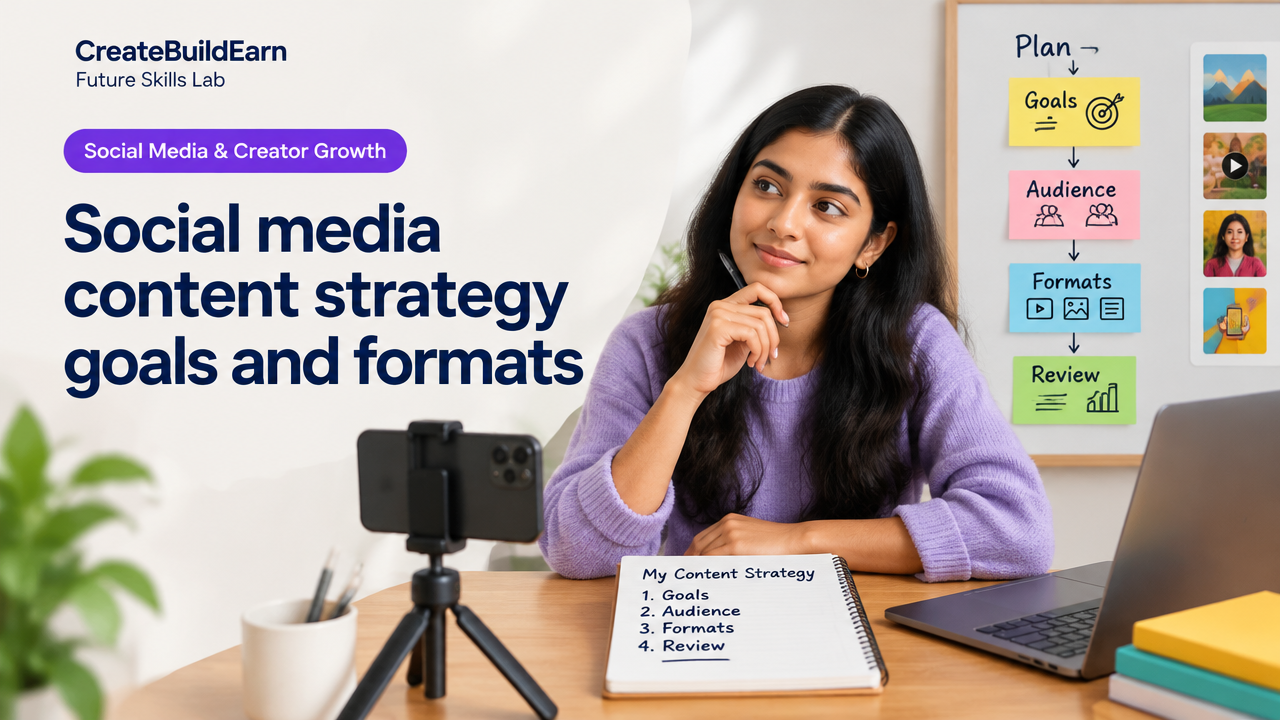
Quick Start
What you will learn/build: A simple, repeatable social media content strategy that defines goals, audience, content formats and a review routine.
Skill level: Beginner. Useful for students, creators and small businesses.
Time needed: 2–4 hours to read and plan; 4 weeks to test a first content cycle.
What you need: One social profile (Instagram/YouTube/Reels/TikTok/X), a simple content calendar (spreadsheet or paper), basic image or video tool (phone camera + free editor).
Why goals, audience and formats matter
Social media without a clear plan wastes time. Goals tell you why you post. Audience defines who you serve. Formats decide how you present your idea so people notice and act. When you connect these three, every post moves you forward — whether you want to learn, build a portfolio, grow followers, or offer services.
Prerequisites: what to know before you start
- Basic familiarity with one platform (posting, basic editing).
- Access to a smartphone or laptop and a simple editor (Canva, InShot, iMovie).
- A notebook or spreadsheet for a content calendar and metrics.
Step-by-step path: build your content strategy
- Choose one clear goal. Pick one primary objective for 4 weeks: Awareness (reach), Engagement (comments/shares), Leads (email signups), or Portfolio (showcase work).
- Define your audience. Write a 2–3 line audience persona: age, interest, problem you solve, where they hang out online.
- Select 2–3 formats. Match formats to platform and goal: short clips for reach, carousels for explained tips, threads/long posts for authority, stories for behind-the-scenes.
- Create a simple calendar. Plan 8–12 posts for 4 weeks with format, topic, CTA (call-to-action) and publish date.
- Produce and publish. Batch content—shoot 3–5 posts in one session. Use captions and CTAs that match your goal.
- Review weekly. Track 3 metrics tied to your goal (impressions, saves, CTR, DMs). Adjust next week.
Formats explained: choose what fits your goal
Here is a short table to match common goals to the most effective formats.
| Goal | Best formats | Why it works |
|---|---|---|
| Awareness | Short videos (Reels/TikTok), Trending audio | Algorithmic distribution and high reach |
| Engagement | Carousels, Polls, Stories, Interactive posts | Encourages saves, comments and shares |
| Leads / Signups | Explainer videos, Link-in-bio posts, Landing page CTA | Conveys value and directs traffic |
| Portfolio / Credibility | Case studies, Before/After posts, Long-form videos | Shows process and results |
Worked example: 4-week plan for a student portfolio
Goal: Build a portfolio to show project work. Platform: Instagram + link in bio to a simple portfolio page.
- Audience: College students and junior developers looking for project ideas.
- Formats used: 3 carousel posts (process breakdown), 2 short videos (project demos), 1 story per week (work-in-progress).
- Schedule week 1: Publish a carousel showing project idea and key screenshots; include a CTA “Save this for project steps”.
- Week 2: Post a short demo video (30–60s) of the project in action with caption describing tech used and a CTA to view portfolio link.
- Week 3: Share a carousel with a step-by-step tutorial and tools list; include a CTA “Try this and tag me”.
- Week 4: Post a mini-case study video with results and lessons learned; update portfolio link and pin to profile.
Try It Now / Mini Project
Mini Project: Create and publish 4 posts in one month for a single goal.
- Pick a platform and set one goal (e.g., “Get 10 saves on Instagram this month”).
- Write a one-line audience persona.
- Plan 4 posts in a spreadsheet: date, format, one-sentence caption, CTA.
- Produce the posts in two sessions. Publish according to the calendar and record the three metrics tied to your goal.
Time-box: 2–3 hours to plan and create, then publish over 4 weeks. Use your phone for production; keep it simple.
Checkpoint: How to self-review after 4 weeks
Ask these questions and record answers in your notebook:
- Did I achieve the primary metric I set (reach, saves, clicks)?
- Which format got the best result? (numbers and qualitative responses)
- Did the audience respond to the CTAs? Any DMs or comments that indicate interest?
- What one small change will I make next month?
Common mistakes and how to avoid them
- Posting without a goal — avoid by writing the goal at the top of your calendar.
- Trying too many platforms at once — start with one and scale after you have repeatable results.
- No audience clarity — write a simple persona and test one message for that persona.
- Chasing vanity metrics (followers) — focus on actions that show interest (saves, messages, clicks).
- Ignoring review — schedule a weekly 30-minute review to learn and iterate.
Review checklist (use as your weekly short audit)
| Item | Good if | Action if not |
|---|---|---|
| Post frequency | Planned posts published | Batch one more session to catch up |
| Primary metric | Trending up or stable | Change format or CTA and retest |
| Audience response | Questions, DMs or comments | Ask a direct question in next post |
| CTA performance | Clicks or saves matching goal | Simplify CTA and repeat |
Next practice: scale and refine
After one clean 4-week cycle, pick one of these next steps:
- Double the posting to 8 posts and compare results.
- Experiment with one paid boost on a post to test audience targeting (start with a small amount and verify platform policies).
- Build a simple landing page or portfolio link and measure click-throughs.
Internal learning links
For related practical guides, see:
- 7 Powerful Steps to Create a Social Media Content Strategy That Truly Connects
- What Makes a Good Poster or Thumbnail?
- How to Build a Public Learning Portfolio
- How to Turn a Skill Into a Freelance Service
Frequently Asked Questions
How do I pick the right goal for my first month?
Choose one measurable and realistic goal that supports your overall plan. For beginners a good goal is engagement (saves/comments) or portfolio visibility. Pick what helps your next step: learning, showing work, or finding clients.
How many formats should I use at first?
Start with 2 formats (for example, one short video + one carousel). This keeps production manageable and lets you compare which format works better for your audience.
What metrics matter most?
Pick metrics tied to your goal: Reach (impressions, views), Engagement (likes, comments, saves), Action (link clicks, signups). Avoid focusing only on follower counts early on.
Can I reuse the same content across platforms?
Yes, but adapt for platform norms. Crop and edit videos, change captions and CTAs, and avoid exact reposts that look out of place. Respect each platform’s format for best results.
How often should I review performance?
Do a short weekly review and a deeper 4-week review. Weekly checks help small fixes; the 4-week review shows meaningful trends.
Should I use trending topics or evergreen content?
Use a mix. Trending content can boost reach quickly but has short relevance. Evergreen content (how-tos, tutorials, case studies) builds long-term value and can be reused.
How do I avoid burnout when creating content?
Batch produce content, reuse formats, and keep one small personal project as a creative outlet. If overwhelmed, reduce frequency temporarily and focus on quality over quantity.
Is it okay to use AI tools for content?
Yes for ideas, captions or simple editing, but verify facts, keep your voice, and protect privacy. Do not rely on AI to make decisions about audience targeting or to produce content that violates platform rules. Teach yourself how to check and correct AI outputs.
Common mistakes recap
Remember: one goal, one audience, two formats to start, review weekly, and adjust. Avoid chasing vanity metrics and spreading yourself too thin across platforms.
Conclusion and next skill to learn
With a clear goal, a simple audience persona and 2–3 formats, you can run a practical 4-week content test that teaches faster than guessing. Next skill to learn: measuring and improving conversions — learn how to turn interest into action by studying basic analytics and landing-page design. A helpful next read is How to Build a Public Learning Portfolio.
Good luck—plan, publish, review, and repeat. Small, consistent experiments build lasting results.
Learn it by building something
Use the guide as a learning checklist, build a small version yourself, test it, explain what you learned and then improve the project.
How this guide was prepared
This guide is prepared for everyday readers using practical research, usability checks and editorial review. Product or tool-specific claims should be verified against current official documentation when needed.
How did you like this article?
Your feedback helps us make our guides more useful.

Join the Discussion
Join the conversation and share a useful tip, question or experience.