
Quick Start
What you will learn/build: A simple, step-by-step beginner method to discover keywords, understand search intent, and create a natural content plan without keyword stuffing.
Skill level: Beginner (no SEO experience required).
Time needed: 1–3 hours for a single article or topic research session.
What you need: A web browser, Google search, Google Trends (optional), a free note tool (Google Docs or a spreadsheet), and willingness to check top search results.
What is keyword research and why avoid keyword stuffing?
Keyword research is the process of finding the words and phrases people type into search engines when looking for information, products or answers. For beginners the goal is simple: choose keywords that match what your audience wants, then create helpful content around those topics.
Keyword stuffing means forcing the same phrase into your page many times to try to rank. It makes writing awkward, harms user experience and can reduce trust from both readers and search engines. Today, good SEO is about answering user intent clearly — not repeating words.
Prerequisites: what you should know or have
- Basic writing skills and the ability to break a topic into sub-questions.
- Google search access and a simple notes tool (spreadsheet or doc).
- Optional useful tools: Google Trends, a free browser keyword extension (eg. Keyword Surfer), and your site’s Search Console if you have one.
- Patience to test and refine — keyword research is practice, not magic.
Beginner step-by-step method (no stuffing)
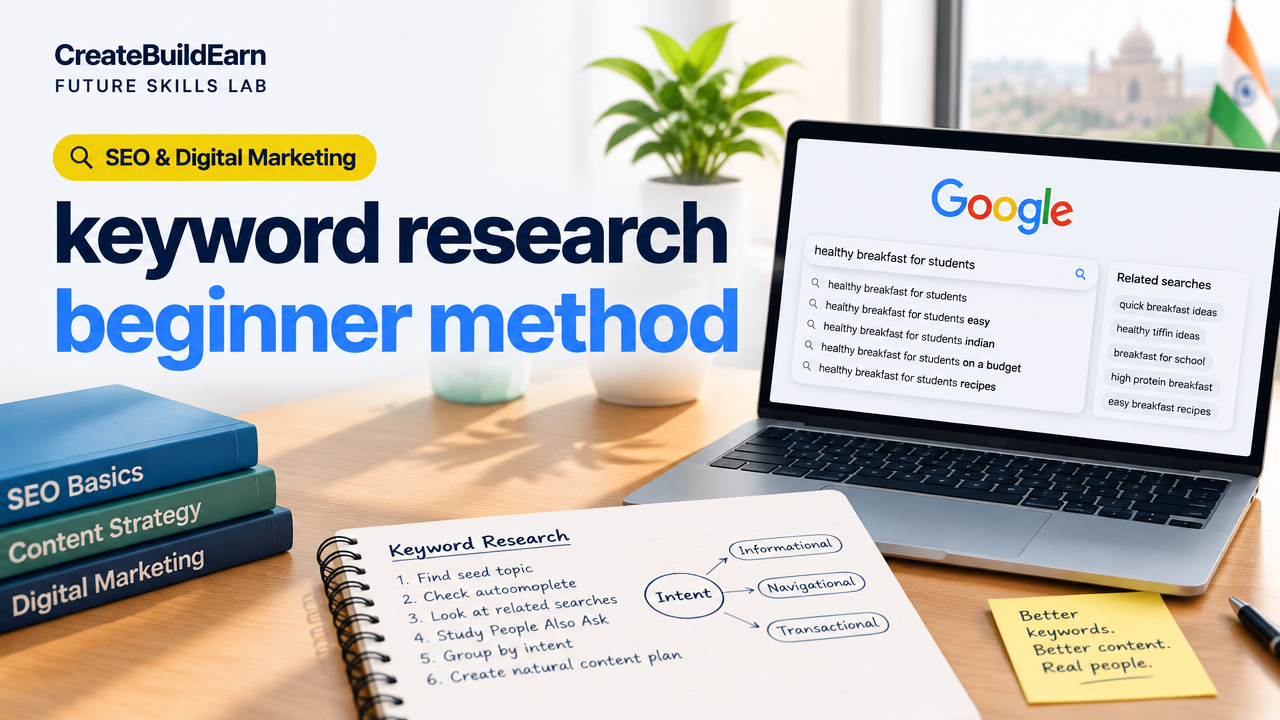
- Pick a seed topic. Choose a clear subject you want to write about. Example: “healthy breakfast for students”.
- Use Google Autocomplete and “Related searches”. Type your seed topic into Google and note the suggestions and the related searches at the bottom of the results page. These are real user queries.
- Scan People Also Ask (PAA). Read the PAA box for common sub-questions — these become headings for your article.
- Group by intent. Sort keywords into categories: informational (how-to, best, why), navigational (brand or specific site), commercial (buy, review), and transactional (purchase, price). For most beginner blog posts, target informational queries.
- Choose 3–5 primary and secondary phrases. Pick one main phrase (your focus) and 2–4 related phrases that fit naturally as subheadings or sections. Aim for natural language, not exact-match repetition.
- Inspect top-ranking pages. Open the top 5 results for your focus phrase. Note the headings, how deep the articles go, and content gaps you can fill.
- Plan an outline that answers intent. Use the PAA and top-page headings to create an outline. Each section should answer a specific user question and include related phrases naturally.
- Write for humans, check for keywords. Write your content first. After drafting, ensure your primary phrase appears in the title, first paragraph, one or two subheadings and naturally across the text—do not force it.
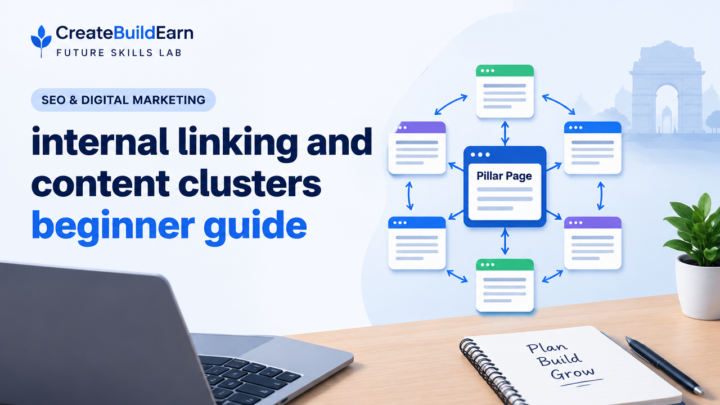
- Use internal links and resources. Link to related pages on your site to help readers and search engines. See internal linking guidance: Internal Linking and Content Clusters Beginner Guide.
- Monitor and refine. After publishing, watch performance in Search Console or traffic sources and adjust titles or subheadings if needed.
Practical checklist (copy into your notes)
| Step | Tool | What to record |
|---|---|---|
| Seed topic | Brainstorm | 1 short phrase |
| Autocomplete & Related | Google search | 5–10 suggestions |
| PAA questions | Google PAA | 3–6 questions for headings |
| Group by intent | Spreadsheet | Label each phrase: informational/commercial |
| Top pages review | Browser | Notes on headings & gaps |
| Outline | Doc/spreadsheet | H1, H2s, H3s matched to intent |
Worked example: “healthy breakfast ideas for students”
We’ll follow the steps quickly so you can copy the approach:
- Seed topic: “healthy breakfast ideas for students”.
- Google Autocomplete suggestions included: “healthy breakfast ideas for students on a budget”, “easy healthy breakfast for students” and “quick healthy breakfast for college students”. Note these as variants.
- PAA showed sub-questions like: “What are cheap nutritious breakfast options?”, “How to prepare breakfast for a rushed morning?” and “Best high-energy breakfast for exams?”.
- Group intent: Most are informational (how-to, best). One phrase includes “on a budget” which shows an economic constraint — useful to address cost in a subheading.
- Primary focus phrase: “easy healthy breakfast for students”. Secondary phrases: “budget healthy breakfast”, “quick energy breakfast”.
- Inspect top pages: You find list-style posts with recipes and time-to-prepare info. A common gap is a quick shopping list and low-cost substitutions — you can add that as original value.
- Write naturally, using the focus phrase in title and intro, and weave secondary phrases into headings and paragraphs without repetition. Add an estimated time-to-cook and simple photos or lists for clarity.
Create an outline with headings matching PAA and the economic intent: quick recipes, 5-minute options, budget shopping list, and exam-day breakfasts.
Try It Now / Mini Project
Task: Do keyword research for one blog post topic in 60–90 minutes.
- Choose a seed topic you care about.
- Open Google, collect 8 autocomplete/related suggestions and 3 PAA questions.
- Group them by intent in a small table and pick one focus phrase plus two secondary phrases.
- Sketch a 6-heading outline that answers each PAA and fills one gap you found on top pages.
- Save your notes and publish a short post draft that follows the outline.
Deliverable: A saved document that lists your focus phrase, 2 secondary phrases, 3 PAA questions, and a 6-heading outline.
Checkpoint: Self-review questions
- Does my title clearly include the main topic in natural language?
- Did I use People Also Ask and related searches to create headings?
- Is the content answering the user’s question, not just repeating keywords?
- Have I added one original value element (example, checklist, or local tip)?
- Are internal links added to related pages on my site?
Common mistakes and how to fix them
- Exact-match obsession: Forcing the exact phrase repeatedly. Fix: use natural synonyms and write for clarity.
- Ignoring intent: Writing a product list for an informational query. Fix: match the page type to the query type.
- Skipping top results review: You miss common formats. Fix: read 5 top pages and borrow structure ideas (not content).
- Over-reliance on tools: Blindly chasing volume numbers. Fix: prioritize real questions and usefulness first.
Review checklist before publishing
| Item | Yes / No |
|---|---|
| Main topic clearly in title and first paragraph | |
| Used PAA and related searches to make headings | |
| One original value element added (tip, checklist, or example) | |
| Internal links to related pages included | |
| No awkward repetition of the exact phrase |
Next practice and short roadmap
After you can perform research for a single article, try these next steps:
- Practice clustering: research 5 related posts in the same topic and link them together. See Internal Linking and Content Clusters Beginner Guide.
- Learn ethical content verification: use the AI Content Research Checklist with Source Verification when using tools.
- Follow a short blogging growth plan: 8-Week Blogging SEO and Digital Growth Learning Path.
- Improve research habits: read How to Research a Topic and Organize Notes Without Copying.
Frequently Asked Questions
Do I need paid tools to do keyword research?
No. Beginners can use Google Autocomplete, People Also Ask, Related Searches, Google Trends and free extensions to start. Paid tools add convenience and volume data but aren’t required to find user questions and intent.
How many times should my focus keyword appear?
There is no fixed number. Include the focus phrase in the title, first paragraph and a couple of headings if natural. Focus on answering questions and use related words rather than counting occurrences.
What is search intent and why is it important?
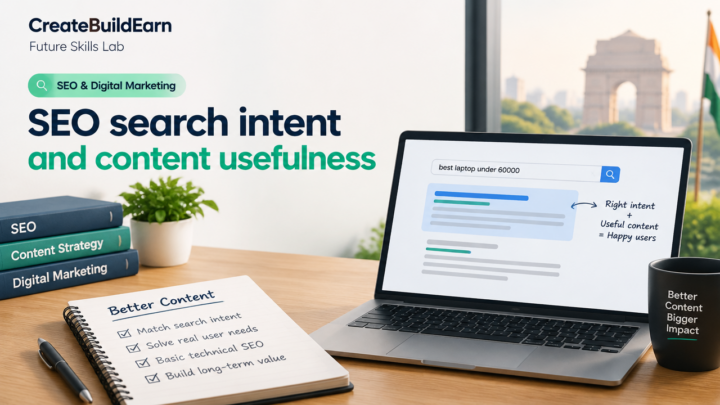
Search intent is the reason behind a search (to learn, compare, buy or go to a site). Matching intent means your content type and depth match what the user expects, which improves usefulness and ranking chances.
How do I choose between similar long-tail keywords?
Pick the one that best matches the page’s goal. If both are informational, choose the one closest to the phrasing users use and that lets you answer specific sub-questions.
Will internal linking help my keywords?
Yes. Internal links help users find related content and help search engines understand topic clusters. Use clear anchor text and link related pages logically.
How often should I update keyword research?
Review keyword performance and intent every 3–6 months for important pages. Trends and user needs can change, so occasional updates keep content relevant.
Is it okay to use AI tools for keyword ideas?
Yes, but verify AI suggestions with real search results (Google PAA, related searches) and follow privacy and verification best practices. Use the AI suggestions as brainstorming, not final authority.
Conclusion
This beginner method focuses on finding real user questions, grouping by intent, and creating helpful content — not repeating phrases. Practice the mini-project until it becomes a routine. Your next skill to learn: how to structure content for readers and search engines — try “Internal Linking and Content Clusters” and the 8-week blogging path linked above.
Learn it by building something
Use the guide as a learning checklist, build a small version yourself, test it, explain what you learned and then improve the project.
How this guide was prepared
This guide is prepared for everyday readers using practical research, usability checks and editorial review. Product or tool-specific claims should be verified against current official documentation when needed.
How did you like this article?
Your feedback helps us make our guides more useful.


Join the Discussion
Join the conversation and share a useful tip, question or experience.