
Quick Start
What you will learn/build: How to plan content clusters and create an internal linking map to help users and search engines navigate your site.
Skill level: Beginner — useful for students, bloggers and new creators.
Time needed: 60–180 minutes for planning and one content cluster draft; ongoing to implement and measure.
What you need: A website or blog (WordPress or similar), a list of topics you already have or want to create, and a simple spreadsheet or paper to map links.
Why internal linking and content clusters matter
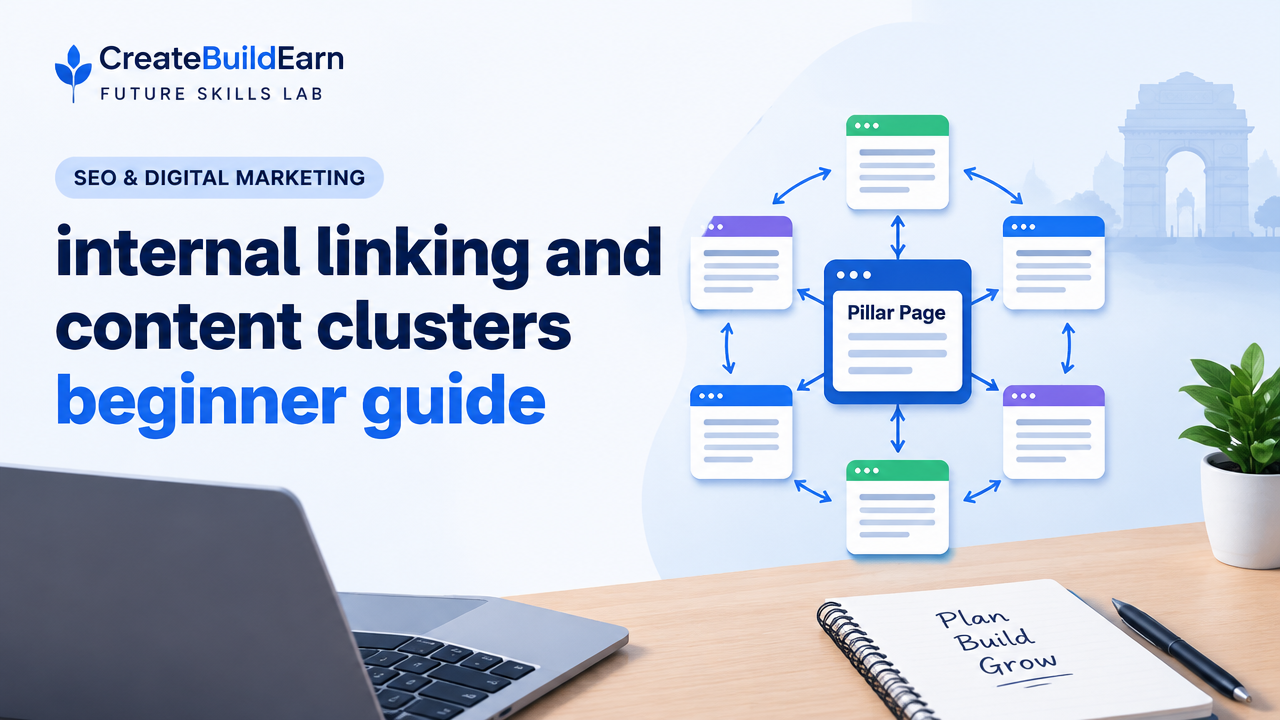
Internal linking and content clusters help visitors find related content easily and let search engines understand which pages are most important. Instead of scattered posts that compete with each other, a cluster groups pages around a central topic (a pillar page), with clear links between them.
For beginners, the goal is simple: make a small, useful network of pages that focuses on one main topic and connects supporting pages logically.
Key concepts — explained simply
- Pillar (or cornerstone) page: A broad, central article that covers the main topic in depth.
- Cluster pages: Shorter pages focused on subtopics that link back to the pillar and to each other when relevant.
- Internal link: A hyperlink from one page on your site to another page on the same site.
- Anchor text: The clickable words used for the link — use natural, descriptive phrases, not long keyword lists.
Prerequisites — what to prepare
- A clear main topic or theme (example: “Beginner Blogging”)
- A simple list of 5–12 subtopics you can write about
- A spreadsheet or notebook to map the structure
- Access to your CMS to add or edit links and pages
Step-by-step path: plan, build, review
- Choose a main topic (pillar). Pick one central page you want visitors to land on for a broad question (e.g., “How to Start a Blog”).
- List subtopics. Write 5–12 relevant subpages (e.g., domain names, hosting, writing first post, SEO basics, content schedule).
- Map the cluster. On paper or a sheet, put the pillar in the centre and connect each subtopic to it. Note where subtopics naturally link to each other.
- Create or update content. Make the pillar page comprehensive and the cluster pages focused and useful. Aim for each page to answer one clear question.
- Add internal links. From each cluster page, link back to the pillar using a clear anchor. Add links between cluster pages where they help the reader.
- Use a logical URL structure. Keep permalinks simple and related (for example /start-blog/ and /start-blog/choose-host/).
- Review and test. Click through the links as a user would. Use your analytics later to see which pages help users stay and explore.
Worked example: small blog cluster
Topic: “How to Start a Blog” (pillar page)
| Page | Purpose | Internal links to add |
|---|---|---|
| How to Start a Blog (pillar) | Overview, steps, links to detailed guides | Link to all cluster pages; include ‘next steps’ links |
| Choose a Domain | Explain selection, extensions, tips | Link to pillar; link to Hosting (if recommending provider types) |
| Choose Hosting | Host types, costs, starter recommendations | Link to pillar; link to Domain page |
| Write Your First Post | Structure, headline, intro, CTA | Link to pillar; link to Content Schedule |
| Content Schedule | Templates for 4/8-week plans | Link to pillar; link to First Post |
| Basic SEO for Beginners | Search intent, keywords, internal linking | Link to pillar; link to First Post |
How to link: In “Choose Hosting,” include an anchor saying “start your blog — step-by-step guide” that links to the pillar. In “First Post” include a link “more on blog SEO” to the Basic SEO page.
Try It Now / Mini Project
Time: 60–120 minutes
- Pick a topic you already have or will write about (example: “Study Tools for Students”).
- List 6 related subtopics on a sheet.
- Create a simple map: pillar in centre, subtopics around it.
- Write one short cluster page (400–700 words) and add two internal links: one to the pillar and one to another cluster page (create a placeholder link if that page doesn’t exist yet).
- Record the anchor texts used and save the map for later expansion.
Checkpoint / Self-review
Ask yourself these quick questions after adding links:
- Can a first-time visitor find the main topic in one or two clicks?
- Does the anchor text describe what the linked page contains?
- Is the pillar page linked from several cluster pages?
- Do links add value to the reader, not just keywords?
Common mistakes to avoid
- Adding links only for SEO keywords — links must help the reader first.
- Creating many thin pages that repeat the same content (keyword cannibalisation).
- Using vague anchor text like “click here” often — prefer descriptive phrases.
- Linking too deeply or in confusing ways — keep paths simple (3 clicks to main answers).
- Neglecting to review and update links when pages change or move.
Review checklist (use this table to mark progress)
| Task | Done |
|---|---|
| Chose pillar page | [ ] |
| Listed 5–12 cluster pages | [ ] |
| Mapped links on paper or spreadsheet | [ ] |
| Published/updated one cluster page | [ ] |
| Added descriptive internal links | [ ] |
| Tested navigation by clicking through | [ ] |
Next practice: improve authority and measurement
After your first cluster is live, do this next:
- Add 2–3 useful internal links from older pages to the new cluster.
- Set a simple metric: time on pillar page or number of pages per session.
- Run A/B link placements if you want to test which anchor encourages clicks.
Useful internal learning links
- SEO Search Intent and Content Usefulness: Practical and Technical Basics
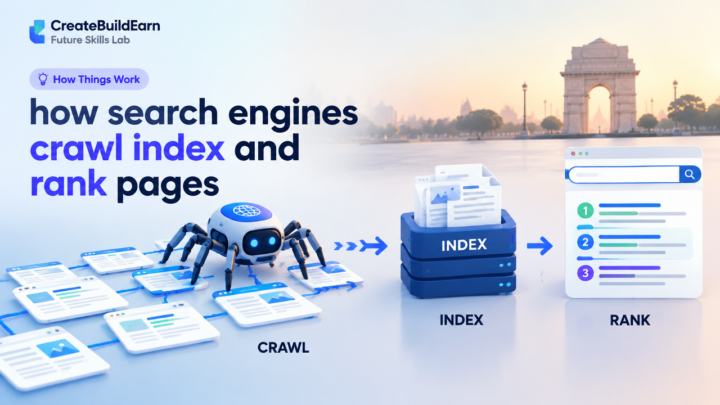
- How Search Engines Crawl Index and Rank Pages — Beginner Explainer
- How to Start a Blog: A Beginner Roadmap
- 4 Week Digital Creator Beginner Learning Path: Learn, Create, Grow
Frequently Asked Questions
What is a content cluster and how many pages should it have?
A content cluster groups one pillar page with related cluster pages. For beginners, start with 5–8 cluster pages and expand as you create quality content.
Should every page link to the pillar?
Important cluster pages should link to the pillar. Not every single page on the whole site needs to. Prioritise links that add value for a reader exploring the topic.
How do I choose anchor text for internal links?
Use short, natural phrases that describe the target page (for example, “blog SEO basics”), not long keyword lists or generic “click here” labels.
Can internal links hurt SEO if I use too many?
Too many irrelevant links can confuse users and dilute value. Keep internal links relevant and use them to guide readers logically through related content.
How do I fix broken internal links?
Use your CMS link checker or a site audit tool to find broken links. Redirect moved pages or update the link targets. Regularly audit links when you remove or rename pages.
Is internal linking the same as site navigation?
Navigation menus are part of site structure, but internal links appear inside content and help connect pages contextually. Both are important for usability and SEO.
How long before I see results from content clusters?
Search and user behaviour can take weeks to months to reflect changes. Focus on useful content and good linking; measure engagement and adjust rather than expecting immediate ranking jumps.
Conclusion and next skill to learn
Start small: pick one pillar topic and build 5–8 useful cluster pages linked clearly. Internal linking and content clusters are practical, low-cost ways to improve usability and help search engines understand your site. Next, learn to match content to searcher intent and measure performance — a good follow-up is our article on SEO Search Intent and Content Usefulness.
Good next skills: planning a content calendar, basic on-page SEO, and measuring with analytics. Keep your work user-first and expand clusters gradually.
Learn it by building something
Use the guide as a learning checklist, build a small version yourself, test it, explain what you learned and then improve the project.
How this guide was prepared
This guide is prepared for everyday readers using practical research, usability checks and editorial review. Product or tool-specific claims should be verified against current official documentation when needed.
How did you like this article?
Your feedback helps us make our guides more useful.


Join the Discussion
Join the conversation and share a useful tip, question or experience.